

Five servers, four use cases, and the one I built myself
Hey!
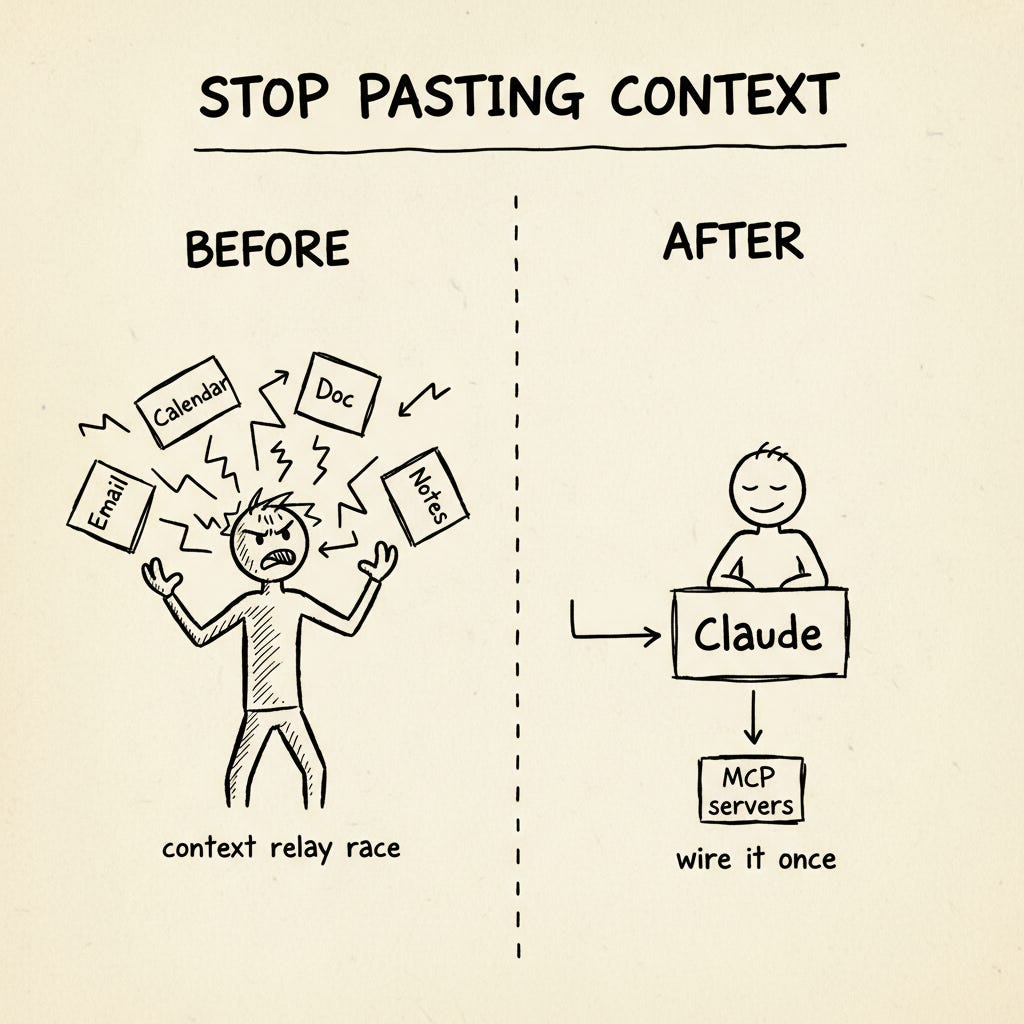
Most Claude workflows in 2026 still look like a context relay race. You paste an email, prompt, paste a transcript, prompt again, paste your calendar, prompt one more time. The work is fine. The plumbing is the problem.
MCP is the boring fix nobody wants to write about. Boring, because there’s no demo moment that makes a screenshot pop. Underrated, because it quietly replaces 80% of the copy-paste that fills your day.
This post walks four use cases I actually run — two for posts, two for leads — plus a worked tutorial on the custom MCP server we built ourselves. By the end you should have one workflow off the relay race in about ten minutes.
Here’s what we’ll cover:
MCP in 90 seconds 🧠
Five servers that change your day ⚙️
Four use cases 🛠️
Setup in 10 minutes ⏱️
What NOT to give MCP 🚫
MCP in 90 Seconds 🧠
The plain analogy: MCP is USB-C for AI apps. Apps speak Claude’s language directly, instead of you being the middleman.
The technical version: it’s a small server that exposes your data and actions to AI in a standard way. Three things a server can do:
Expose data — read your Gmail, your Notion, your CRM
Expose actions — send an email, create a record, schedule a post
Expose prompt presets — canned instructions you can trigger
The mental shift: you stop transferring context. You wire it once.
Why now? The protocol stabilized in late 2025, official servers shipped for Gmail, Google Workspace, Notion, Apollo, HubSpot, Attio, and a long tail of others across early 2026, and both Claude Desktop and Claude.ai speak MCP natively.
If you need the foundational walkthrough, our MCP full guide for founders and makers is the place to start. This post assumes you’ve read that or know the gist — and focuses on what to actually do with it.
Five Servers That Change Your Day ⚙️
Read these as menu items. The use cases below pull from this set.
1. Gmail
Claude searches your inbox by sender, thread, date, keyword.
Find all sponsor reply threads from the last month and tell me which deals stalledInstall the official Gmail MCP. Keep it read-only for the first week. If you want write access later, scope it to create drafts only — never auto-send. (I learned this the hard way. More on that in the trust section.)
2. Google Drive / Workspace
Claude pulls docs by title or content, opens spreadsheets, drafts in Docs.
Look at my last 3 newsletter drafts and outline next week’s in the same shape.Separate servers exist for Drive, Docs, and Sheets — install only what you actually use. Workspace is the easiest first connector because the safe scope is obvious.
3. Brave Search
Real-time web search inside Claude Desktop, via Brave’s official MCP server. Claude can search the live web, news, images, videos, and local results — without ever leaving the conversation.
The free tier covers 2,000 queries per month, which is more than enough for most creator workflows. Brave’s own setup guide walks you through it in under five minutes.
My honest take: if you only install one server from this list, install this one. Web search inside Claude Desktop changes everything you can ask Claude to do — research, fact-checking, current-events context, the lot.
For heavier scraping needs — JS-rendered pages, structured extraction, deep crawls — Firecrawl MCP via Claude Code is the better tool. Brave is for “find me what’s on the web right now”; Firecrawl is for “pull this specific page into structured data.” Different jobs.
4. Apollo
Search Apollo’s contact and company database — hiring leads, sales prospects, partnership targets, sponsor research.
Apollo launched its native Claude connector in February 2026 as a beta, with OAuth-based authentication and no API keys required. We’ll get into the actual receipts on this one in UC3.
5. HubSpot or Attio
CRM via MCP.
HubSpot has the official Anthropic connector (launched July 2025)
Attio is the lighter-weight alternative — AI-native, OAuth, generous free tier — and increasingly the default for solo creators who don’t want HubSpot’s footprint
Notion-as-CRM also works via the Notion MCP (covered in our Notion AI automation guide)
The pattern is the same regardless of which one you pick.
Four Use Cases 🛠️
Research for a Post / Video
Before: Open Notion, search keyword, copy chunks. Open Drive, search again, copy more. Open browser, scrape three sources, paste into Claude. Ten to fifteen minutes per post before you’ve written a sentence.
After: One Claude conversation reads Notion (your archive), Drive (your drafts folder), and Brave Search (the live web) in a single query.
Claude, pull everything I wrote about [topic] in the last 90 days from Notion. Then use Brave Search to find what's new this week from these three sources. Give me the angle I haven't covered yet plus three hook options.Two minutes. Your archive stays current automatically — no monthly CSV refresh, no project re-upload. The win isn’t speed alone, it’s that the analysis reflects what you actually published yesterday, not last month’s snapshot.
This is the simplest workflow in the post, and the easiest one to act on today. The deeper pattern — Claude reading your archive instead of you re-explaining yourself every session — is the same pattern we’ve used in every system we’ve shipped at Creators’ AI:
Our AI email newsletter system uses the same shape — Claude reads source material live, writes drafts to where you actually work
The Firecrawl MCP setup (for Claude Code users who need heavier scraping) extends this pattern to the live web
The broader stack — Skills for preferences, MCP for capabilities — is the framing I unpack in Skills, Plugins, Swarm Mode
Below the paywall, three use cases that go further: the custom MCP I built (and why), the March 2026 sponsor-search story where Apollo MCP replaced a four-hour overnight agent run, and the daily CRM-to-Gmail follow-up loop that’s quietly the highest-ROI workflow on this list.
