

Hi there!
Over the past few months, we’ve been testing how AI behaves once it meets real workflows. Today, we’re moving on to the next tool in the context engineering lineup.
Notion AI isn’t something new, and it hasn’t really dropped any big updates recently, but we haven’t paid enough attention to it. A few weeks ago, a sales lead showed me how they used Notion AI. And I was impressed.
They weren't just storing info there, but they were running their entire pipelines through it, using Notion AI to surface risks, draft client emails, and pull insights from scattered notes.
Nowadays, Notion has truly turned into the go-to workspace for many digital teams. You can just drop it in...
Review our Q4 deals database, plus notes from the #deals with the Slack channel. Summarize at‑risk opps, blockers, and next steps per account.And get a proper sales pipeline review: queries deals DB, flags risk criteria, proposes next actions.
or even better
Scan the last month of team meeting notes, Slack huddles summaries, and Google Calendar events to create a dashboard of recurring topics, action‑item completion, and key decisions.This one lets you build a meeting analytics dashboard to search your notes, spot patterns, and create dashboards.
Personally, I’ve stored multiple documents in Notion for years, long before AI development started. This tool feels closer to me personally than Cursor.
In this piece:
We’ll cover what Notion AI is and its main features
We’ll explore interesting use cases you need to try
The New Year is coming! Thank you for being with us, and enjoy our New Year offer for Creators AI Full Access (limited time).
What is Notion AI at its Heart
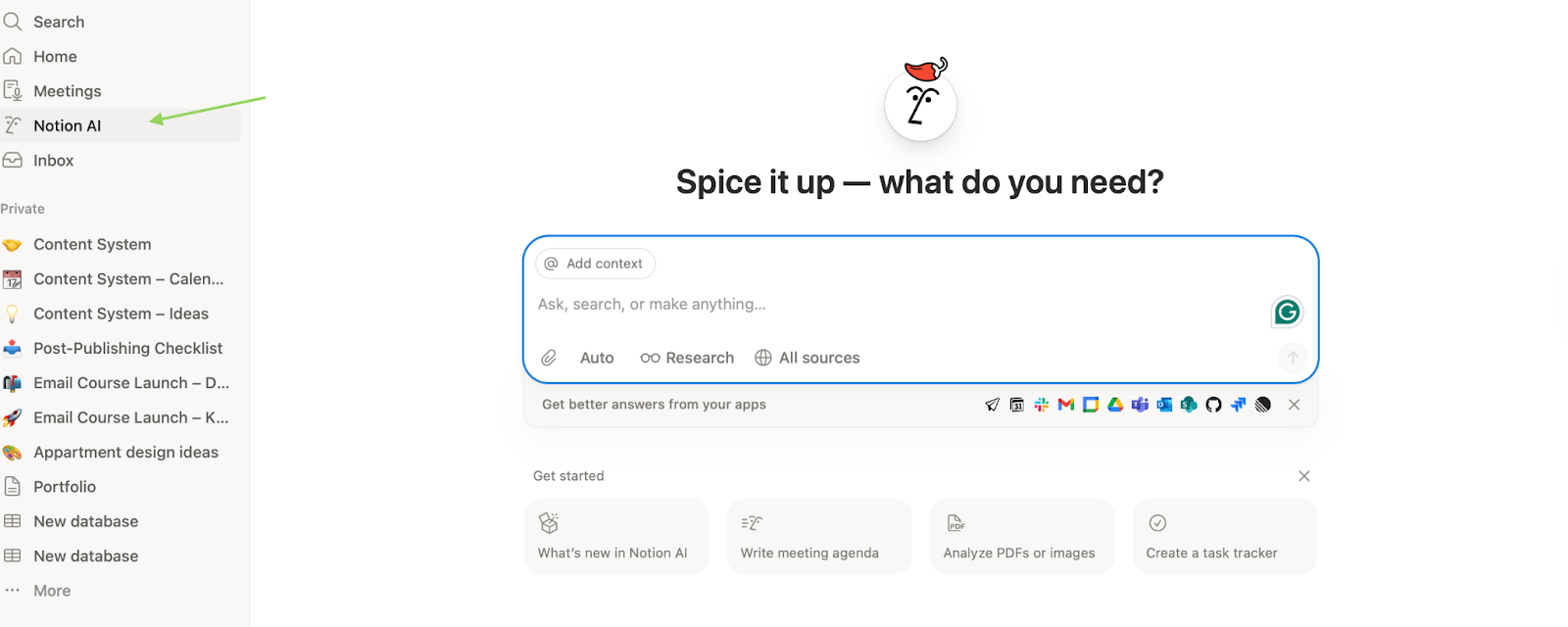
Notion AI sits inside your Notion workspace and acts as your assistant. It handles everything from summarizing long documents to generating drafts, creating reports, fixing grammar, and translating between languages.
For me, it helps with one core need. It automates repetitive writing tasks from content control to Financial Dashboards. You get math-solving capabilities and outline generation as bonus features.
What is inside:
Like Cursor, the tool runs on multiple LLM models. Right now: Claude Sonnet 4.5, Claude Opus 4.5 Beta, GPT-5.2, Gemini 2.5 Flash, and 3 Pro.
It also has Auto mode for model selection, when Notion AI decides which model to use based on your request (but actually this feature’s standard by now).
Notion AI in context engineering works with:
The current page
Linked databases
What you explicitly tag with @
Everything else? It pulls through retrieval, not memory.
What Notion AI actually sees:
Your entire workspace (pages, databases, relations)
Connected Slack channels
Google Drive (Docs, Sheets, Slides)
Jira and GitHub (enterprise)
Here’s what Notion AI does:
Works inside your database context. AI uses statuses, dates, connections, metrics, and history, not just your text prompts.
Dives deep into specific topics and generates reports via Research Mode.
Turns data into decisions. It doesn’t write text for the sake of writing.
It:
Suggests priorities
Flags risks
Proposes next actions
If you’re afraid of the blank page, the assistant invents blog topics or startup names for you.
4. Helps you improve your writing in-line on a page, or generate custom outputs in a page via AI blocks.
5. Transcribes, summarizes, and pulls insights from meetings via AI Meeting Notes.
6. Translates pages into other languages.
7. Creates databases, auto-populates database properties via Autofill, and writes formulas in databases and automations.
8. Create formulas and automations to track KPIs and business metrics. You can build a formula that automatically calculates project deadlines or shows task status in your database.
Subscription
Of course, with a subscription, you’ll get more features.
Plus - $10 per member/month
For small teams. Unlimited files & blocks, longer history, custom forms, basic automations & integrations.
Business - $20 per member/month
For growing teams. Advanced permissions, private teamspaces, full Notion AI, advanced forms, deeper integrations.
With this tier, you can deep into:
Searches your entire workspace at once: Notion docs, Slack messages, Google Drive files. This ensures that everyone on your team has instant access to the most up-to-date information, regardless of where it was originally shared.
Analyzes meeting recordings, turns them into structured notes, and extracts key decisions and agreements. From one transcript, it generates client proposals, task cards with owners and deadlines, follow-up emails, and social media posts matching your brand voice.
What can Notion AI actually do?
Many people criticize Notion for being hard to learn. And they’re not wrong. If you’ve never used Notion before, start with a basic guide and get comfortable with the interface first.
Here, I’ll focus on something else. I’ll show you how Notion AI can be used to build practical systems for management and text work, and where it actually saves time. Better yet, you’ll find some tips that make working with Notion AI features more effective in the end.
To start:
Choose the Notion AI section through the side menu and start a dialogue like in any chat (if you don’t want to make up a prompt, find a ready template and ask the assistant in a prompt to explain its structure and capabilities).
Or use the floating button. The icon in the bottom right corner of your workspace opens chat in a separate support window.
Or when creating a new page, at the bottom of the page, you’ll see an icon labeled Ask AI. Click it to open a menu with functions.
THE MAIN THING: feed it your content, using the @add content feature
For Creators: to manage the content creation grind
The Content Engine Strategy
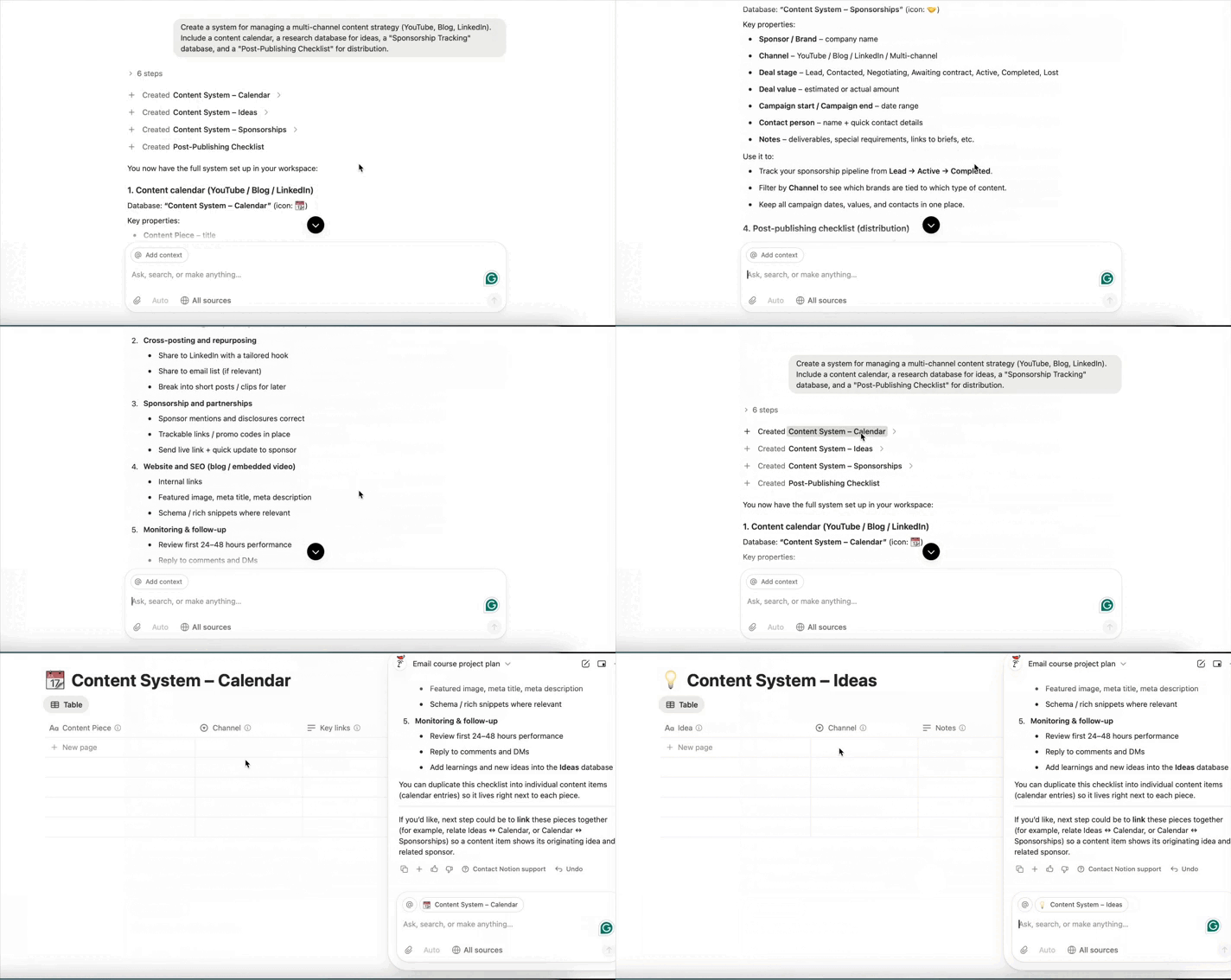
You can prompt the agent to build a centralized content production hub.
The Prompt:
Create a system for managing a multi-channel content strategy (YouTube, Blog, LinkedIn). Include a content calendar, a research database for ideas, a “Sponsorship Tracking” database, and a “Post-Publishing Checklist” for distribution.The agent will generate a timeline view for publishing, linked databases for assets, and automated templates for different content types.
Make it stronger:
I suppose before you start creating something, you should do some research in your field. After you fill out part of the tables, you can dig into other files in your Notion to strengthen your hub even more, analyze it properly, and add new information.
Market Research Summary
Prompt:
Combine interview notes, survey summaries, and web research. Give me three reader personas with pain points, triggers, preferred channels, and example messaging.With all these outputs, your hub is good to go. Once we build the system, it’s time to work on content.
Fast Content Ideas
After creating the system, you can easily enhance it to analyze data even more effectively. You can add more bases:
Published – all content that has already been published.
Top Performing – content that has achieved the highest success
Competitor Content – competitor content that ranks well
You can start by analyzing your previous work (so nobody points out later that you’re repeating yourself, hehe).
Analyze content pages tagged @Published and @Top_Performing.
Group them by:

– core topic

– angle (how the topic was framed)

– format (tutorial, opinion, case study, breakdown)

– target audience segment

Identify:

1. Which topics consistently perform well

2. Which angles within those topics resonate most

3. Which formats get the strongest engagement

Do not generate new ideas.

Output insights only, with examples.
Or
Review @Published_Content and @Competitor_Content. Find content gaps where competitors rank, but we don’t. Cross-check with our past engagement data. Suggest 5 content ideas with the highest ROI potential.But old stuff won’t help us find new ideas for our audience, so then we’ll build a system to look for fresh concepts.
Automated Content Workflow
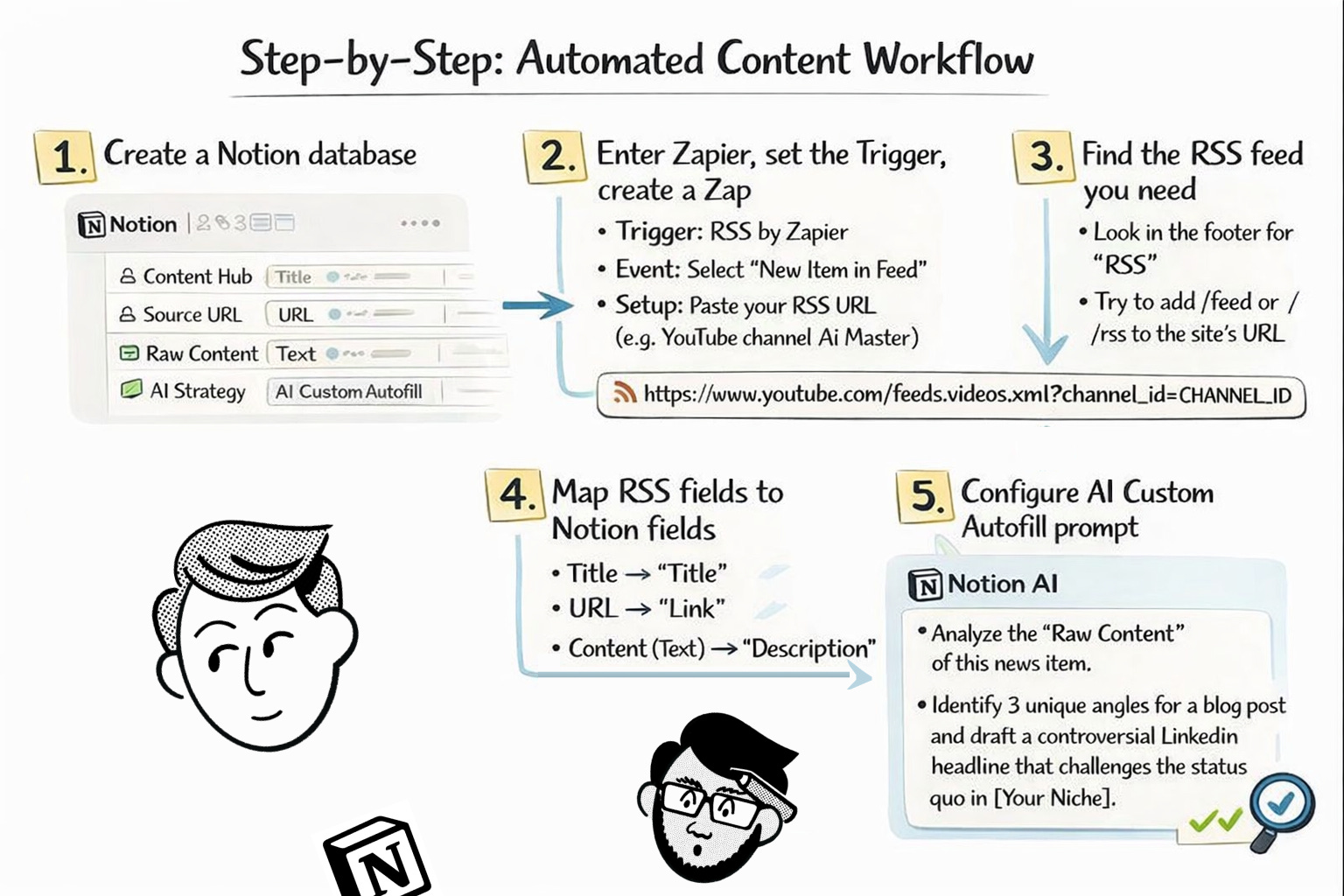
To stay on top of what’s happening in real-time, you can transform Notion into an active Trend Radar with RSS. Instead of manually searching for news, you can build a system that delivers industry insights directly into your workspace for AI analysis.
You need: The Trigger (Zapier), Notion Database, and its Brain (Notion AI Autofill)
Step-by-Step:
Step 1: Create a Notion database with the following properties: Content Hub (Title), Source URL (URL), Raw Content (Text), and an AI Strategy section (set it to AI Custom Autofill).
Step 2: Enter Zapier and set the Trigger
Trigger: RSS by Zapier
Event: Select “New Item in Feed”.
Setup: Paste your RSS (Really Simple Syndication) URL (e.g., YouTube channel AI Master).
Step 3:
There, I’ll explain where to find the RSS feeds for the sites you need.
Most websites hide them in sections like “Subscribe,” “RSS,” or down in the footer. You can also try a quick trick:
Add /feed or /rss to the site’s URL and see if a feed pops up.
Every YouTube channel also has a hidden RSS feed to get the info from the site.
Just use this URL:
https://www.youtube.com/feeds/videos.xml?channel_id=CHANNEL_ID
The channel ID is that long mix of letters and numbers at the end of a channel’s link. If the channel uses a nickname instead, you can grab the ID from the page source or with one of the many quick lookup tools online.
Step 4: Set an Action and create a Zap
Event: Select “Create Database Item”.
Field Mapping: This is how you tell Zapier where to put the data in your Notion table:
Map the data from the RSS feed to your Notion database like this:
Title (from the RSS item) → Notion “Content Hub” (The name of the content).
Link (from the RSS item) → Notion “Source URL” (The direct link to the original article or YouTube video).
Text (from the RSS item) → Notion “ Raw Content” (The summary pulled from the feed and used later for AI analysis).
Step 5: Configure the AI Custom Autofill prompt:
Analyze the “Raw Content” of this news item. Identify 3 unique angles for a blog post and draft a controversial LinkedIn headline that challenges the status quo in [Your Niche].Technical Note for you: not all websites allow direct automated access (often resulting in a 403 Forbidden Error and I faced it a lot). If a direct link fails, you can try to run it through RSS.app. It acts as a clean proxy, converting protected web content into a “Zapier-friendly” format.
Then, to make you content, solve real problems, continue with a prompt:
Blog Post Outlines
Prompt:
Pull from @Raw Content and @Bestsellers. Create a detailed blog outline with 5 external sources.Once your Trend Radar is collecting raw market signals, and you have a blog idea in your head, you can decide which ideas are actually worth publishing.
Publication ideas
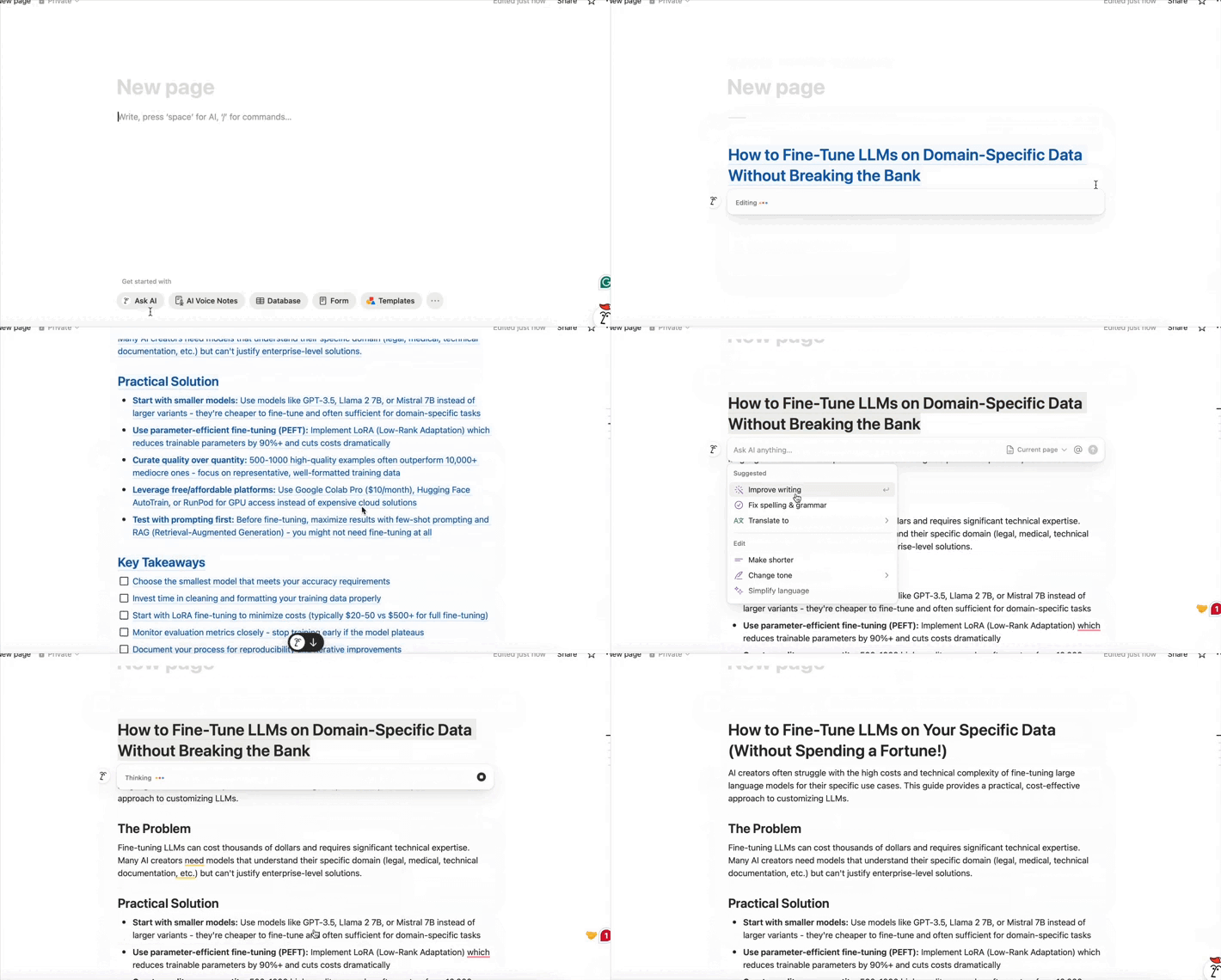
Generate Х content ideas for [your niche] that meet these criteria:
- Solve a specific problem audience faces
- Assess new trends
- Answer questions people actively search for
- Include clear, practical takeaways.
- Has the potential to rank in search results.
In the end, I got a full idea that I could continue brainstorming. But the title looked weird…so I altered it (very easily).
Here we explained how different AI models produce different tones of voice. Check it out, if you’re looking to sharpen your output and write even more effectively: Click
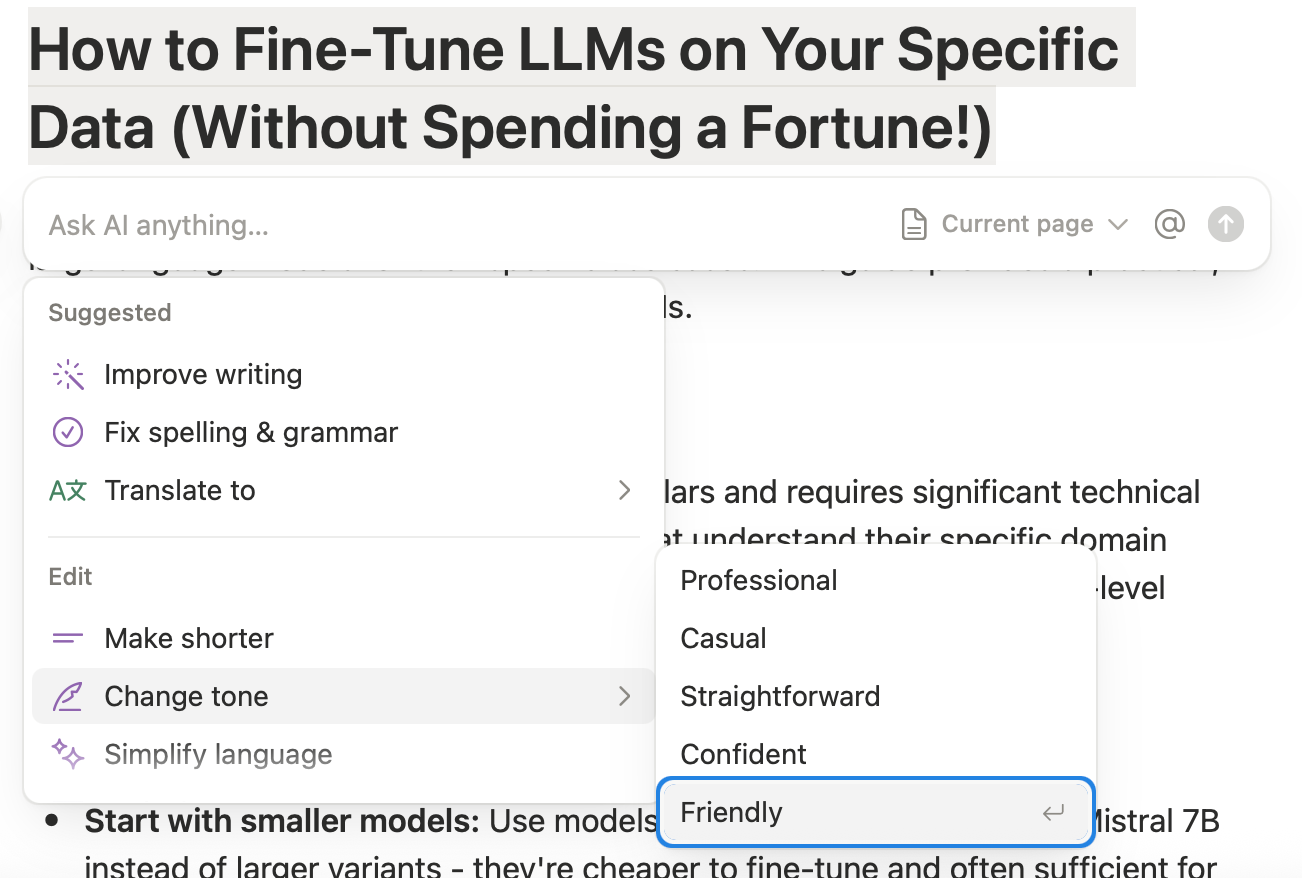
Selected the text
Choose what Notion AI offers - I picked “change tone to friendly”.
As you see, it offers multiple options for instant editing. You use it to ask the assistant to:
Make text longer or shorter.
Simplify language.
Create a summary.
Translate into 16 languages (from French to Arabic).
Fix grammar.
One piece of content, multiple formats
Moreover, you can reuse an article across platforms without rewriting everything manually.
Prompt:
Act as a Multi-Channel Content Strategist. Analyze the attached article and repurpose it into the following formats:
- X Thread: A 5-tweet thread. Start with a high-impact ‘hook’ tweet (max 280 chars). Use bullet points for takeaways and ensure each tweet flows logically into the next.

- LinkedIn Post: Focus on professional growth. Use an ‘Opening - Body - Lesson - CTA’ structure. Make it ‘scannable’ with white space and use a personal, reflective tone.

- Instagram/Telegram Caption: A  punchy caption (max 150 words). Focus on one single actionable insight. Use short sentences to maintain high ‘reading velocity’.

Guidelines:

Mirror the style, pacing, and vocabulary of my previous work in @Published_Content.

Tailor the messaging for each platform based on the demographics defined in @Audience.
You can squeeze more mileage out of one piece of content without extra creative load.
For Founders & Operators: Operational System with AI
Here are cases from real business people. They showed how Notion AI fits into their daily grind, and you can borrow their setup. After that, I’ll share tips to make your Notion AI work smoothly.
Full-scale project manager
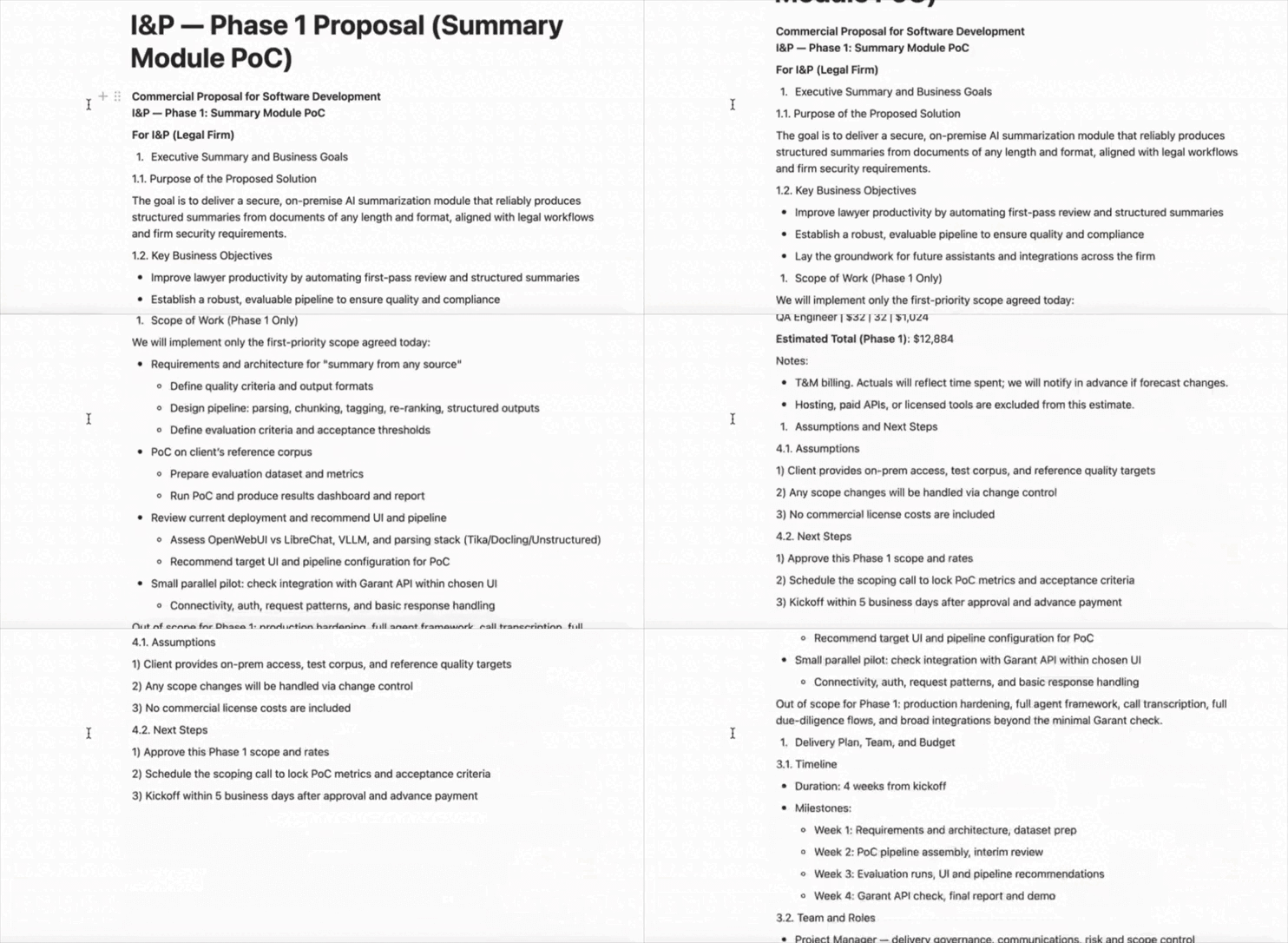
One of the founders I came across shared his everyday workflow. And we’re back to Zapier, which we used earlier, but now it helps us with a different tool.
He uses Notion as the core of project management.
What’s it for: you can create the whole infrastructure for your business in Notion. You don’t have to take manual notes of your calls, copy links from one app to another, and constantly chase context.
Instead, the system collects, organizes, and links all relevant information such as calls, transcripts, templates, rates, and project data.
How his system works:
He records all client and team calls through TL;DV. Transcripts automatically flow into Notion through Zapier.
Then an n8n agent kicks in. It reads the text, adds descriptions, tasks, tags, links the call to the right project, and creates a summary.
His database contains:
Calls, transcripts, and agreements
Rates by role
Project descriptions, contacts, proposal templates, technical specifications, contracts, and internal procedures for executing projects based on project type, technologies, roles, and whether we need partners
