
3 Creator AI Stacks, Fully Reverse-Engineered (Including Mine)
The exact tools, scripts, and files behind 3 real creator production systems, broken down layer by layer


Hey everyone. Today’s post is a deep-dive from a creator and Fractional Chief AI Officer who’s been running a fully automated content production system across two newsletters, a LinkedIn presence, and a consulting business — and built the stack to prove it.
At a Glance
In this piece, you will learn how to:
Stop treating AI as a writing assistant and start treating it as infrastructure
Understand what a real creator AI stack looks like under the hood (with two verified examples)
Build your own four-component system starting this week
This post is prepared with Guest Author — Claudia Faith, Fractional Chief AI Officer. If you also want to write for Creators AI — send us email here
I run two Substack newsletters, a LinkedIn presence for my consulting business, and a live AI community. Each brand has a different voice, different visuals, different audience. For months I produced everything manually: writing articles one at a time, scheduling social posts by hand, creating images in a browser tool, copying and pasting between apps until my eyes glazed over.
On a good week, that took around 8 hours. On a bad week, when I was also running my consulting business and showing up for coaching clients, the content slipped. Articles posted late. Notes got skipped. Images were whatever I could throw together in five minutes.
The turning point came when I stopped thinking about AI as a writing assistant and started thinking about it as infrastructure. I didn’t need a better prompt for Tuesday’s article. I needed a stack where every tool connects to the next, where the output from one step feeds into the next, and where one Sunday session handles what used to take me all week.
When I started looking at how other growing creators approach this, I saw the same pattern everywhere. The ones scaling fastest built systems, and those systems look surprisingly similar under the hood.
This and many other practical posts on building with AI are available exclusively to our subscribers
Two Stacks Worth Studying
Before I walk through my own setup, here are two creators who built AI production systems I’ve learned from. Both are publicly documented and verifiable.
Ryan Law’s 23-Skill Editorial Pipeline (Ahrefs)
Ryan Law runs content at Ahrefs, a company doing over $100M in annual revenue. He built a system inside Claude Code using 23 custom skill files, each handling one editorial step: keyword research, structural outlining, line editing, internal linking, WordPress shortcodes. He chained them into a master skill called “blog-pipeline” that runs all 23 sequentially.
A publish-ready article draft in 6 to 12 minutes. Roughly 45 articles processed so far. He published the whole thing on the Ahrefs blog with full technical detail.
The takeaway: every skill file saves the instructions, the examples, and the formatting rules for that one step. When Ryan updates how Ahrefs handles internal linking, he edits one file. Every future article inherits the change. He started with a single skill and kept adding as he identified repetitive steps. The system grew with the work.
We covered Claude Code Skills in depth here: Skills, Plugins, Swarm Mode: Practical Tips with Claude
Dan Koe’s Repurposing Engine
Dan Koe has 2 million followers and 120,000 newsletter subscribers. His principle: every idea gets used multiple times. He tests ideas on X first (the character limit forces compression), expands winners into his newsletter, turns that into a YouTube script, then feeds the transcript into Gemini to extract usable building blocks in a fraction of the time manual notes would take.
His custom Claude prompts deconstruct his best-performing posts into hooks, quotes, pain points, and narrative arcs. One prompt he calls his “Deep Post Generator” can pull up to 60 social post ideas from a single long-form piece. He discussed the whole workflow on The Startup Ideas Podcast.
The takeaway: Dan’s AI tools aren’t generating content from nothing. They’re taking content he already created and finding the 20 other shapes it could take. The original thinking stays human. The multiplication is automated.
My Stack: The Full Tool Chain
Here’s every layer, what it does, and how they talk to each other.
Claude Code: the command center
Everything runs through Claude Code, Anthropic’s CLI tool. I use it in VS Code, and it’s the single interface I open for almost all content work. Writing, image generation, data analysis, file exports. I give it instructions, it calls the right tools, and I review the output.
The reason Claude Code works as a command center is that it can run scripts, read and write files, and use browser automation all from one conversation. I don’t switch between five apps. I describe what I need, and Claude orchestrates the steps.
New to Claude Code? Start here: How Claude Code Can Be Your AI Teammate
CLAUDE.md: the master instruction file
This is the file Claude Code reads automatically every time I start a conversation in my project folder. It contains every workflow I’ve built: how to write an article, how to generate Notes, how to create carousels, how to produce images, how to export for Substack. It also defines my folder structure, my naming conventions, and which tools to use for which tasks.
I update this file whenever I refine a workflow. Every future session inherits the update. If I figure out a better way to structure a CTA, I change it in one place and every article I write afterward follows the new pattern.
Voice profiles: one per brand
Each of my brands has its own markdown file with a full voice analysis. I built these by reading 15 of my own published posts per brand and extracting the patterns: how I open articles, my sentence rhythm, transition phrases I use naturally, and critically, phrases I never use and specific AI writing patterns to avoid. There’s a list of 18 AI fingerprints that I flag as banned, things like “Not X, it’s Y” constructions, em-dashes, rhetorical questions, invented compound labels.
Claude reads the matching voice file before generating anything. Without it, AI output sounds like AI. With it, the output sounds like me having a particularly productive morning. This is the single highest-leverage piece of my stack.
Puppeteer MCP: automated data collection
I use Puppeteer, a browser automation tool, connected to Claude Code through the MCP protocol. This lets Claude control a real browser session.
Every Sunday I ask Claude to connect to my Substack profile and pull the last 7 days of Notes performance: likes, comments, restacks, subscriber conversions. No manual scrolling through dashboards, no copying numbers into spreadsheets. Claude reads the data directly from the page and tells me what performed, what fell flat, and where the patterns are. That analysis feeds straight into the next batch of content.
One finding that came out of this automated tracking: the Note that converted the most subscribers one week had 34 likes. The Note with 266 likes converted the second fewest. I would never have caught that by glancing at my dashboard. The automated data pull made it visible, and it changed how I select content formats.
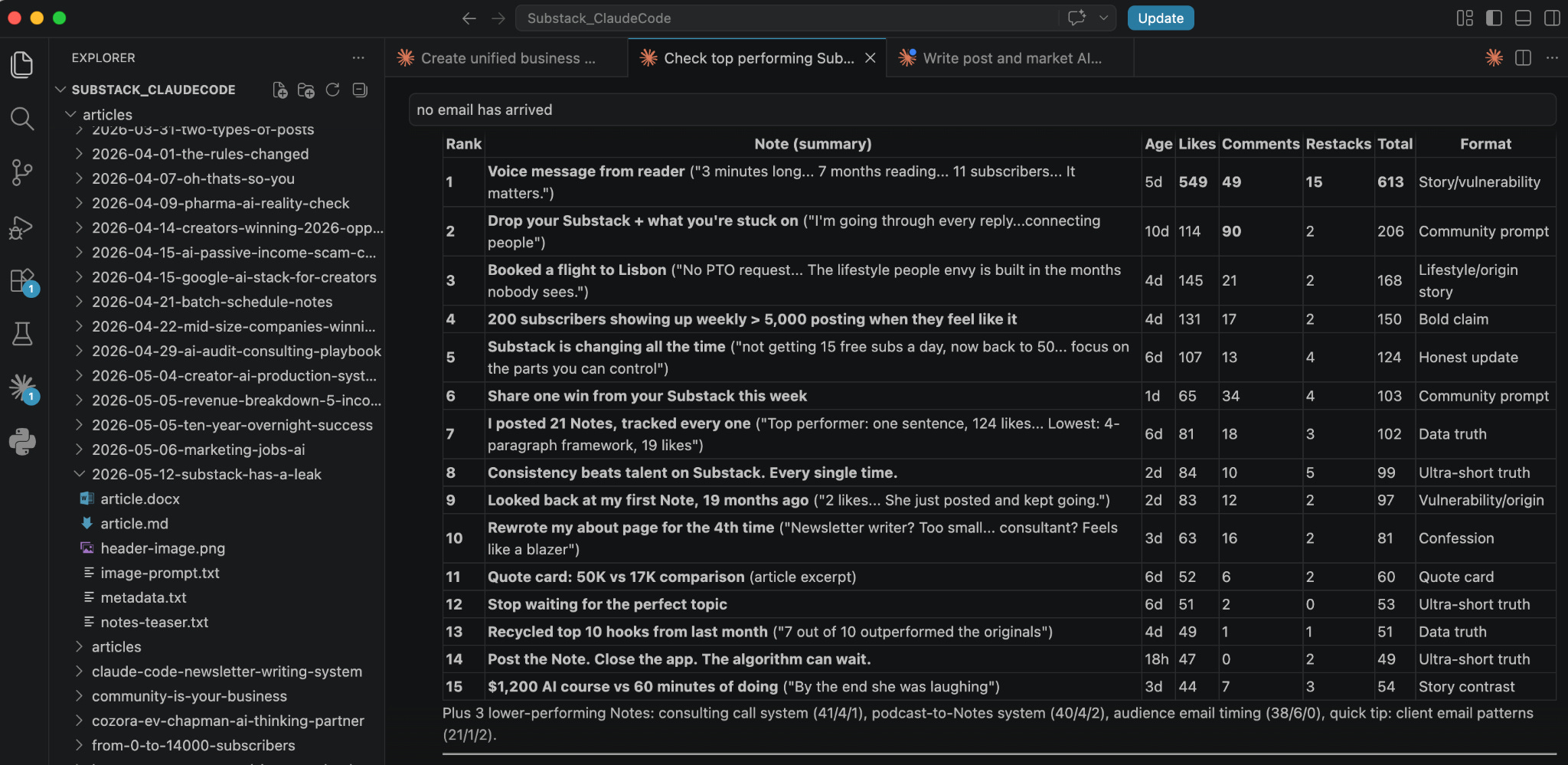
Imagen API: image generation from the terminal
I use Google’s Imagen API through a Python script I wrote called generate_image.py. Each brand has an image style template in its voice file (sketch style for my AI newsletter, a different look for my consulting brand). When I write an article, Claude builds the image prompt from the brand template and the article topic, then runs the script. The header image generates in about 30 seconds without me opening a browser or logging into a design tool.
I built a second script for carousels (generate_carousel.py) that works the same way but generates multiple slides. For my consulting brand, both scripts can include reference photos of me for character-consistent images across posts.
Parallel agents: multiple tasks at once
When I produce a full article, Claude Code spawns three agents that run simultaneously. One writes the article using the voice profile. One generates SEO metadata, keywords, and an FAQ answer. One builds the image prompt and generates the header image. When the article is done, a fourth agent reads it and writes a Notes teaser.
A full article package that used to take me a full morning now runs in about 15 minutes, and most of that time is me reviewing and editing the output.
Custom scripts: the last mile
The stack includes a few utility scripts that handle the boring parts:
md_to_docx.py converts finished articles to Word format. Substack’s import feature works cleanly with .docx files, preserving all formatting. No more copy-paste formatting disasters.
Notes scheduler accepts CSV batch uploads with content, date, and time per Note. Substack only lets you schedule Notes one at a time, which is painful when you’re scheduling 21 per week.
generate_preview_gif.py creates animated prompt-to-image reveal GIFs for social sharing.
Notes scheduler accepts CSV batch uploads with content, date, and time per Note. Substack only lets you schedule Notes one at a time, which is painful when you're scheduling 21 per week. I built the scheduler to solve that for myself and now sell it as part of my paid subscription.
How it all connects
Here’s what a typical Sunday session looks like, start to finish:
I open Claude Code and ask it to pull my last week’s Notes performance via Puppeteer. It reads the data and summarizes what worked. I tell it to generate 21 new Notes based on that analysis, my voice file, and the formula structures I’ve tested over months. It produces a CSV. I review and edit the Notes (about 15 minutes of actual work), upload the CSV to my scheduler, and the full week is handled.
You can check out my scheduler here
If I’m also producing an article that week, I give Claude the topic and it runs the parallel pipeline: article, metadata, and image simultaneously. The finished package lands in a dated folder, ready to export as a .docx and import into Substack.
Total Sunday time for a full week of Notes plus one article: about 45 minutes. That used to be closer to 8 hours spread across the week, done in fragments, mostly mediocre because I was always rushing.
Share this with a creator who’s still doing it the hard way.
Building Your Own Stack
Every creator system I studied, including my own, has four components. You can build them in any order, but you need all four for the system to actually run itself.
A voice file. Document how you write. Pull 10–15 of your published pieces and identify: your opening patterns, sentence rhythm, transition phrases, recurring expressions, and phrases you’d never use. Save this as a file your AI reads before generating anything. This takes a few hours the first time. You never have to do it again unless your style evolves.
Proven formulas. Study what works in your space. Pull high-performing content from creators with audiences similar to yours, break down the structural patterns, and rank them by the metric that matters to your business: subscribers, clients, or sales. Save these as reusable templates with real examples. Any AI model produces dramatically better output with a structural template than with a blank prompt.
A batch rhythm. Pick your most repetitive content task and batch it. If you post daily on any platform, you’re a candidate. Choose one session per week where you produce everything for that platform in one sitting. The specific cadence matters less than the commitment to doing it in one focused block.
A feedback loop. After each batch cycle, review what performed and feed that data back into the next batch. My system does this weekly through the Puppeteer data pull. Over months, the output improves because the system learns from real performance data instead of assumptions.
You don’t need 23 skill files or a full Puppeteer integration to start. Pick the content task you repeat most often. Do it once with AI, but document every instruction you give along the way: the voice rules, the structure you prefer, the things you fix in the output. Save that as one file. Next week, feed it back and batch 7 days in one sitting.
If the quality holds and the time drops, you have the seed of a stack. Keep adding pieces as you hit new bottlenecks, and within a month you’ll have something that runs in a fraction of the time you’re spending now.
Also read: Your AI Agent Stack Is Spaghetti — here’s how to fix it
Where the Stack Breaks
Every creator I’ve talked to who runs this kind of system has the same disclaimer: it works until it doesn’t. The honest version of “AI as infrastructure” looks like this.
Usage limits hit at the worst time. Claude Code, Imagen, Puppeteer running in parallel. Each one burns tokens or API credits. You hit the weekly limit on Claude on a Sunday afternoon mid-batch, and the whole pipeline stalls until reset. Even on the highest paid tiers. You learn to front-load the expensive work earlier in the week, but the ceiling is real.
The setup is genuinely complex. A voice file, a CLAUDE.md, 4 to 23 skill files, Puppeteer MCP, custom Python scripts, API keys for image generation, a folder structure that everything depends on. When something breaks, the debugging surface is huge. Was it the skill? The MCP? The script? A model update? Most creators I know have a “works on my machine” graveyard of half-built workflows that fell over once and never got fixed.
Picking up where you left off is a job in itself. You start an article Tuesday. You come back Thursday. Claude doesn’t remember which voice file you were using, which version of the outline you approved, what you already corrected in the draft. Without disciplined file naming and session notes, you rebuild context every time. The “infrastructure” only feels like infrastructure when you also build the habits to use it.
Quality drifts without warning. Some weeks the output is sharp. Some weeks the same prompt, same voice file, same skill produces flat copy or off-brand images. Model updates change behavior silently. Skills that worked perfectly in March generate slop in May. You don’t get a release note. You catch it because a Note flopped or a thumbnail looks wrong, and you trace it back.
This and many other practical posts on building with AI are available exclusively to our subscribers
Skills don’t fix everything. This is the one I want to be direct about, because the discourse around skill files is getting evangelical. A skill saves your instructions, not your judgment. It can enforce a structure, a banned-phrase list, a CTA pattern. It cannot tell you that the angle is boring, that the case study isn’t strong enough, or that the opening doesn’t earn the reader’s attention. The taste layer stays human. If you build a system that assumes the skill handles quality, the quality will erode and you won’t notice until subscribers do.
The stack is still worth building. 45 minutes versus 8 hours is real, and compounding. But anyone promising a hands-off AI workflow either hasn’t run one long enough, or is selling you the dream rather than the system.
Let me know how it goes!
Oh, by the way: If you want the full setup behind my AI-driven writing workflow, I bundled everything I described here and you can grab it here
Have you started building your own creator AI stack — or are you still running everything manually? Share in the comments.
Claudia Faith holds a Master of Science in AI. She’s a VC-backed founder who’s worked with Forbes 100 companies to deploy AI where it actually matters. As a Fractional Chief AI Officer, she handles strategy and implementation, and offers 1:1 coaching for business owners who don’t want to be the last in their industry to figure this out. If you want help thinking through your own AI strategy, start here Start here.
 | A guest post by
|
thanks for having me :)