

Brilliant cut prompts from 20+ to 2. Datadog killed week-long design cycles. But there’s a catch most reviewers missed.
Hey! Today we’re going deep on Claude Design. The tool that made Figma’s stock drop 7% in a single day and made every product designer on X simultaneously panic and tweet about it.
Anthropic shipped Claude Design on April 17, alongside the Opus 4.7 release we covered last week. The timing was loud. Mike Krieger (Anthropic’s Chief Product Officer and the guy who literally co-founded Instagram) quietly resigned from Figma’s board three days before the announcement. The Information had already reported that Anthropic’s next model would ship with design tools. The market read the signals and Figma got punished.
Then I actually used Claude Design for a week. And the headline takes are wrong.
It’s not a Figma killer. It’s not a Lovable competitor. It’s something neither category covers, and that’s exactly why it matters.
At a Glance
In this piece, you will learn:
What Claude Design actually does (and what it doesn’t), with real screenshots
4 production case studies from Brilliant, Datadog, Mercury, and Peter Yang’s 16-minute everything-build
5 power-user tips that separate “shipping” from “burning your weekly quota in 30 minutes”
The honest catch on token economics that nobody on Twitter is talking about
What Claude Design Actually Is
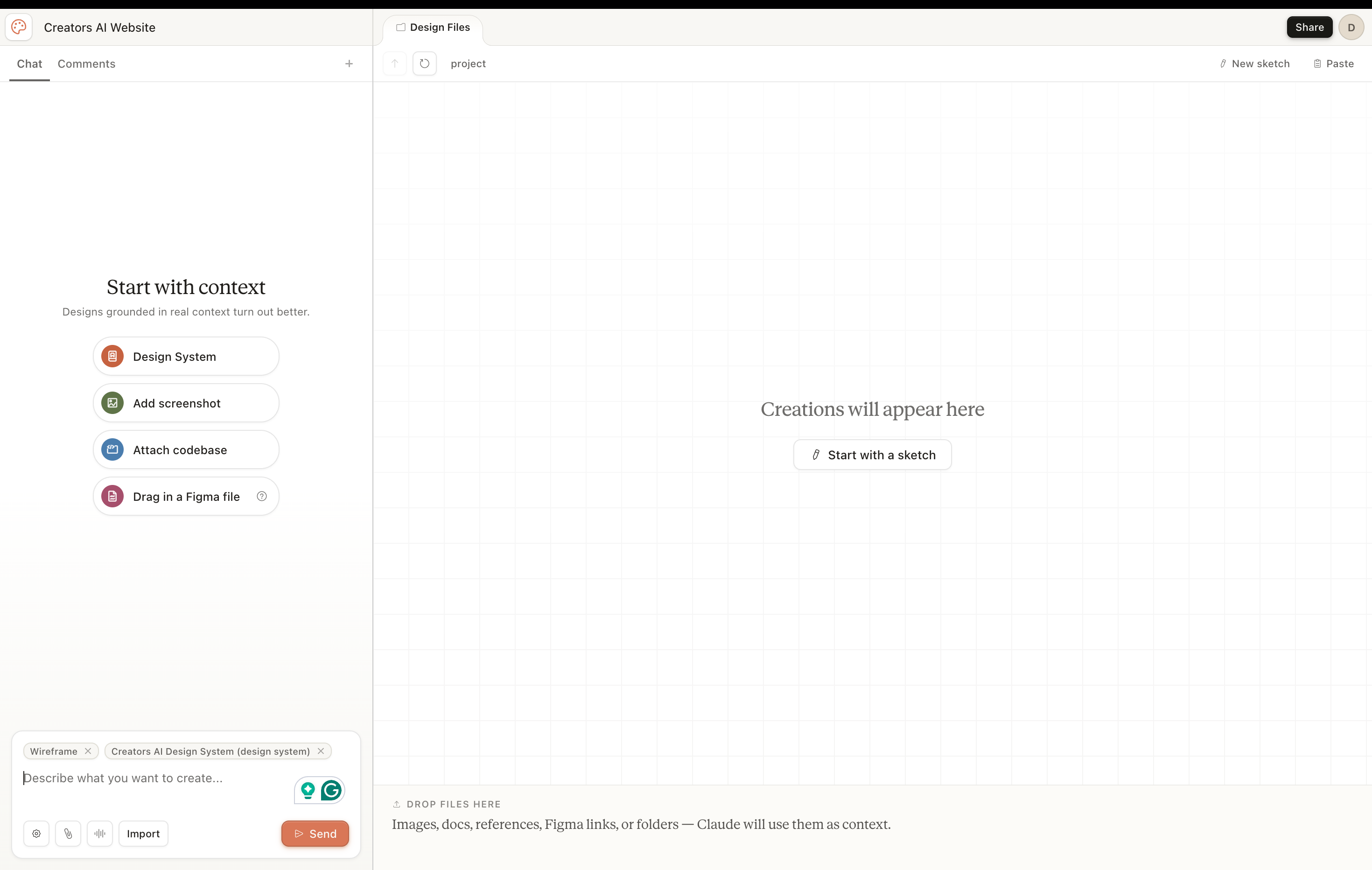
Claude Design is a conversational prototyping tool. It lives inside claude.ai (look for the Design tab in the sidebar after you log in), and it’s powered by Claude Opus 4.7, the most capable vision model Anthropic has shipped to date.
The interface is dead simple: chat on the left, canvas on the right. You describe what you want in plain English. Claude builds a working design on the canvas. You refine through conversation, draw red marker annotations directly on the design, click and tweak elements, or drag custom sliders Claude builds for you on the fly.
Here’s the part that made my jaw drop: it’s not generating images. It’s generating live HTML, CSS, and React components. Real code. Things you can click. Things you can hand to a developer and say “build this.”
That’s not an image generator. That’s an actual design tool.
The output covers most of what teams ship every week:
Landing pages and marketing sites
Clickable interactive prototypes
Pitch decks and presentations
One-pagers and SOPs
Wireframes and design explorations
Brand systems and component libraries
Even animated brand videos and 3D web experiences
It exports to PDF, PPTX, Canva, standalone HTML, Keynote, and Figma import. There’s also a killer feature most people miss: it packages everything into a handoff bundle for Claude Code.
The 5 Features That Actually Matter
Most of the launch coverage stopped at “AI tool that makes designs.” That’s too shallow to be useful. Here’s what actually changes the game:
1. Design system ingestion. Point Claude at your codebase or design files during onboarding. It reads your colors, typography, components, and spacing rules, then applies them automatically to every project after that. Teams can maintain multiple design systems for sub-brands or campaigns. The single source of truth becomes your code, not a Figma library that drifts over time.
2. Web capture tool. Drop in a URL and Claude pulls elements directly from your live site so prototypes look like the real product. This is huge for marketing teams iterating on existing pages.
3. The Tweaks panel. Custom sliders that Claude builds for you on the fly: typography scale, color temperature, spacing density, section ordering. Drag the sliders, the design updates live. And here’s the part nobody mentions: the Tweaks panel doesn’t burn chat tokens. More on that later.
4. Inline comments. Click directly on any element and request a targeted change instead of describing the location in chat. Faster, cheaper, more precise.
5. Handoff to Claude Code. When you press “Hand off to Claude Code,” it doesn’t just dump HTML. It packages the design with the intent, component choices, and architectural decisions preserved as context. Claude Code then builds on top of the design instead of reinterpreting it.
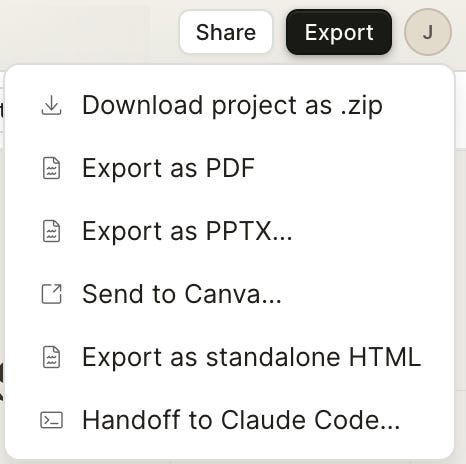
That last one is the difference between Claude Design and every other AI design tool that’s launched in the past year. We show below how we used it in our case
