

Hi there!
The holidays are over, but diving into something heavy right now still feels rough.
Perfect timing then, because Boris Cherny, the creator of Claude Code, just shared how to squeeze the most out of Claude Code in the new year.
We’ve already covered some of the more interesting workflows you can build with this tool. Find them here:

So today, we’re not talking about new tools; we’re talking about how to make your work way more productive with Claude Code, with a real example in the end.
Commandments For Devs and Non-Devs
Claude Code works great out of the box, but it’s packed with customization options that let you tune the tool to fit your workflow.
Run 5 terminals in parallel + 5-10 browser tabs
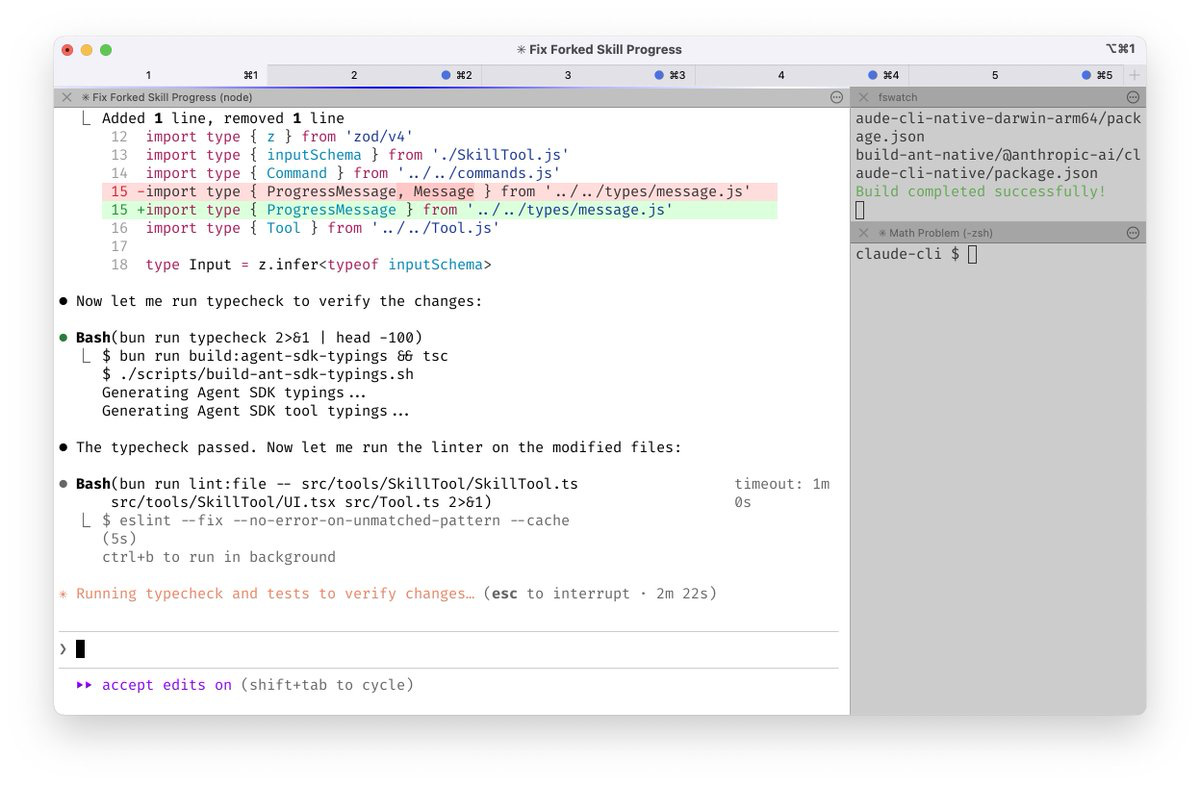
The whole idea is that effective work with Claude Code doesn’t start with prompts, but it starts with a properly structured terminal setup.
Boris stresses that using multiple terminals and tabs in Claude Code lets you split work into separate sessions, each with its own context.
One session = one context.
For instance,
Terminal 1 - main Claude for planning and architecture / or research for non-devs
Terminal 2 - code reviewer subagent for reviews and improvements / writing
Terminal 3 - test runner for tests and logs / summaries
Terminal 4 - bash or git for strategy drafts
It works because it avoids token bloat and keeps each Claude focused on a single sub-task, rather than trying to do everything at once. And you can do plenty of things at the same time!
Make your setup comfortable
To make parallel work like this usable in practice, you can (and should) customize:
hotkeys
notifications
file-based workflows instead of copy-pasting huge chunks of text
You can launch this by:
Quick escape: Type \ followed by Enter to create a newline
Key shortcuts:
Shift + Enter - insert a new line without sending the message
Perfect for structured instructions and multi-step prompts (set up via /terminal-setup)Option + Enter (macOS / VS Code)
On top of that, Boris usually keeps 5-10 active sessions open in the web version of claude.ai/code, and occasionally spins up a few more from his phone.
When working with long instructions:
Avoid direct pasting: Claude Code may struggle with very long pasted content
Use file-based workflows: write content to a file and ask Claude to read it
Be aware of VS Code limitations: the VS Code terminal is particularly prone to truncating long pastes
Use Opus 4.5 with reasoning enabled
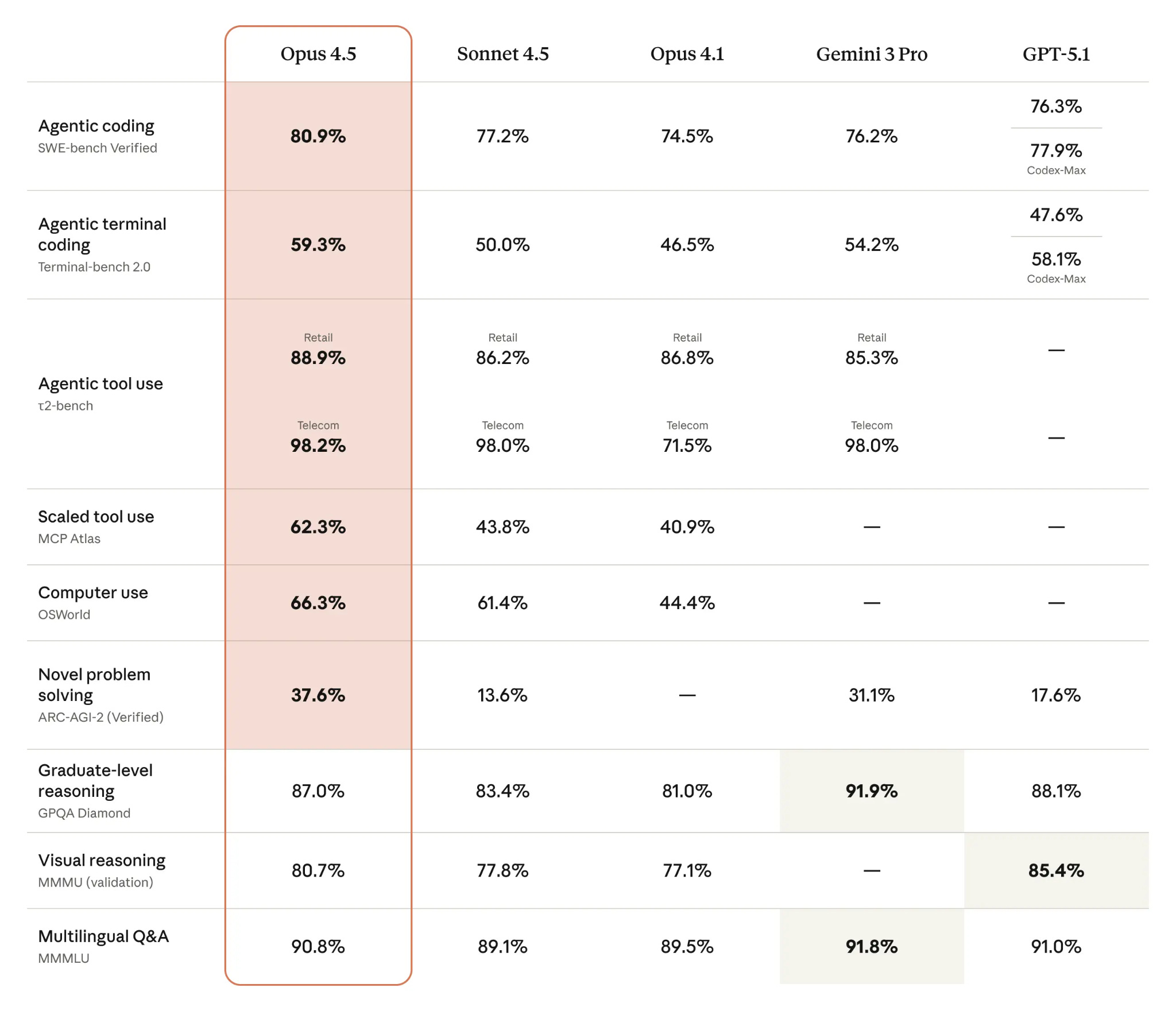
The developer prefers Opus 4.5 to others.
Claude Opus 4.5 performed better in benchmarks, but Boris himself points out that in chain-of-thought mode, it’s slower than Sonnet (roughly 2-3 times slower). However, Opus 4.5 still delivers ~50% higher accuracy on complex code and multi-step reasoning.
Always enable /think or ask it to reason step by step.
CLAUDE.md — Shared Team Knowledge
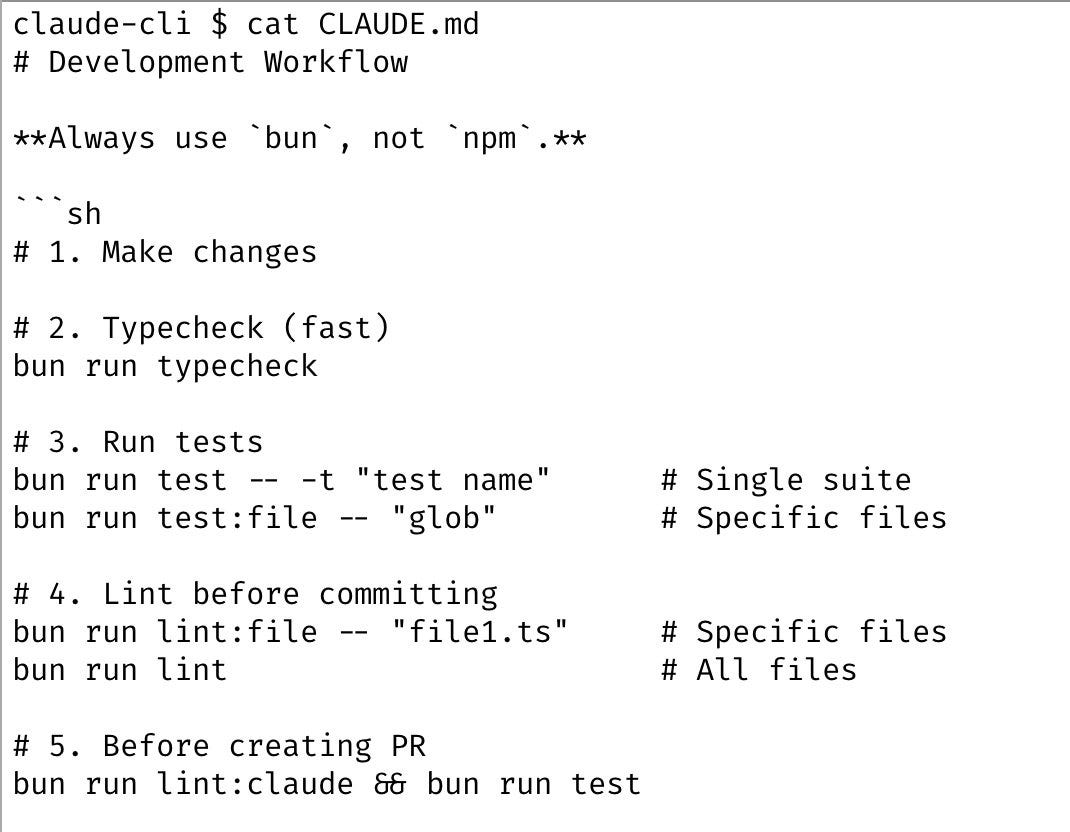
When working with agents, we’ve already mentioned that it’s essential to include a CLAUDE.md file at the root of the project. This acts as the AI’s reference guide for the tools it uses.
What we typically include:
Architecture overview
Style guide
Common bugs and fixes
Useful Bash commands
You can generate the initial file with /init or manually.
Boris notes that their CLAUDE.md is shared across the whole project team and updated several times a week. Typical entries include recurring errors and how to fix them.
For example:
“Always use X”.
“Instead of Y, always write Z”.
This can apply to coding workflows, but also non-dev tasks, for instance:
You are a Senior Art Director working alongside a Creative Director.
Read brand strategy documents to understand tone, audience, and positioning.

Behavior:
When proposing ideas, always include a short rationale:
“Why this works for the brand / audience / objective.”

Combine aesthetics + narrative (even text-only ideas should imply a visual or emotional direction)

Prioritize clarity over decoration

Avoid clichés, generic buzzwords, or overused marketing language
or
- No AI attribution in commits
- Writing: keep the user’s voice, first person, conversational, no em dashes, stick closely to what the user said without making things up, but fix small grammar mistakes
- Testing: use tmux to control Claude Code instances (send-keys, capture-pane)
- After adding or renaming tips, run node scripts/generate-toc.js to update the table of contents.
Error handling workflow
Whenever Claude makes a mistake, add a rule to CLAUDE.md to prevent it from happening again.
In pull requests, tag @claude and let a GitHub Action update CLAUDE.md directly during code review.
Claude auto-loads CLAUDE.md at the start of every session, ensuring persistent improvement.
