

Hello friends!
According to KPMG, companies that lean on AI report an average productivity boost of 15% on their projects! Not bad for a digital assistant.
PMI’s research, “AI innovators: Cracking the code on project performance”, shows even more:
Teams using AI tools hit deadlines 61% of the time, compared to 47% for those going old-school.
AI-driven projects are more likely to actually deliver on promised results 69% of their projects meet 95%+ of expected business benefits, vs. 53% for non-AI projects.
Projects with AI support hit or beat ROI targets 64% of the time, compared to 52% without AI.
AI supports project managers in coordinating all the moving parts to make sure projects get done on time, on budget, and up to standard. But project management isn't just for professionals.
Even if you’re not a project manager, you deal with personal projects every day, such as fixing things around the house, planning trips, and so on.
And let’s be real, most projects go off track at some point. Sometimes it’s human error, missing materials, too many dashboards, endless messages, and updates scattered across platforms.
That’s why today, we’re looking at how project managers are using AI, so you can get some insights on how to make your professional or personal project management way less stressful with the right tools in your corner.
AI in Project Management
If you’ve ever felt like you’re running on a hamster wheel, welcome to the daily reality of a project manager.
Project managers are responsible for any collaborative project. They sit between teams, stakeholders, deadlines, and expectations. They work across product teams, agencies, startups, anywhere things are done by people who don’t all think the same way.
And they operate in a constant noise of tools such as Jira, Trello, Asana, ClickUp, Notion, Slack, Teams, as well as calendar invites, dashboards, and docs.
Of course, keeping multiple complex workstreams is exhausting.
According to the World Economic Forum, by 2027, around 42% of work tasks are expected to be automated. Which means one thing: a huge share of companies has already brought AI into their project workflows in one way or another to get rid of tedious work.
So, a regular ChatGPT or Claude can’t help there, because they lack persistent context, structured reasoning, decision continuity, and the ability to integrate with the tools teams actually use.
We’re talking about companies building systems where AI is integrated into stateful decision-making over time, task delegation, and tracking analytics based on changing data.
And people who know how to work with modern AI project management platforms, what tasks to delegate, and how to interpret the results are going to be way more valuable on the market.
Here’s the first example to show what I mean.
AI Scrum Master in an Agile Team
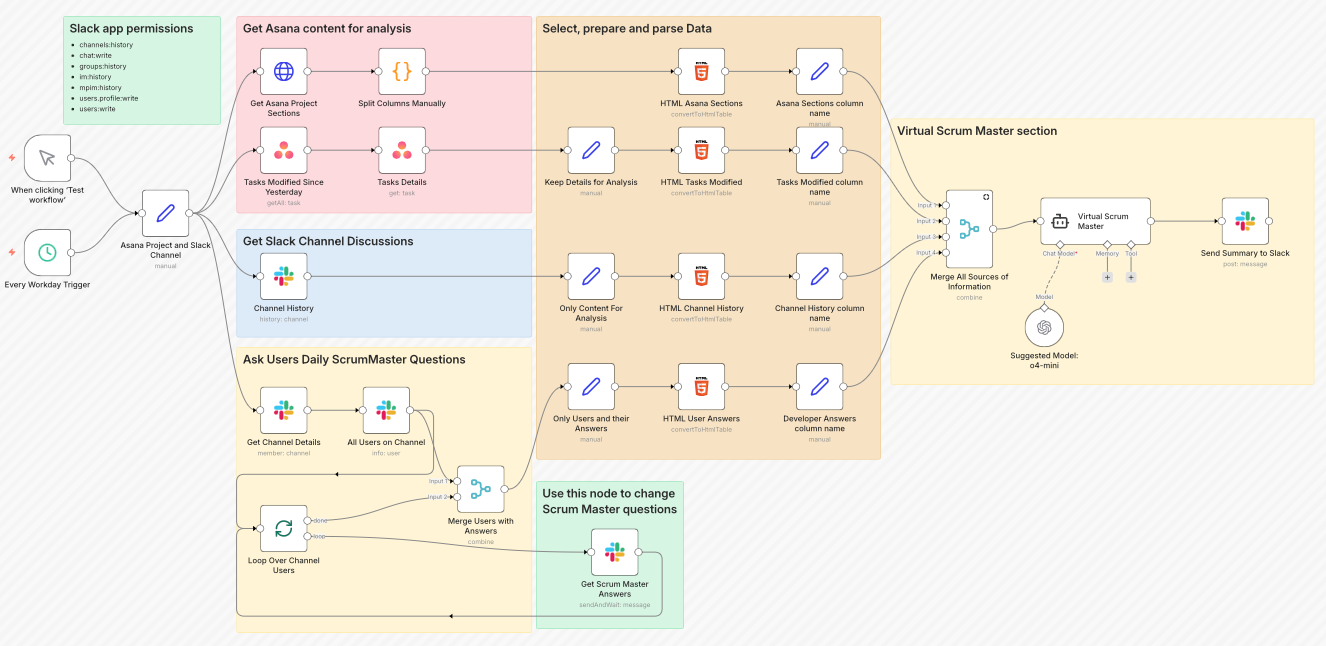
This setup acts like a Scrum Master that never sleeps.
Best for:
Small teams (up to 15) to catch blockers early and replace manual check-ins
Mid-size teams (15–50) to surface hidden dependencies and provide visibility if you work remotely
Large teams (50+) to detect patterns people can miss and support coordination without micromanagement
Why it's clutch
This system is simple. It pulls data from multiple sources:
Asana - project structure, tasks, progress
Slack - team chats, discussions
Direct developer input - updates, blockers, support needs
All of this runs through…n8n, of course! Then AI analyzes it in the context of Scrum, spotting potential roadblocks, areas where the team might need a hand, and risks of hitting sprint goals.
Outputs land in Slack (or any place you choose, the system is versatile to changes), ready for the team or the next round of analysis.
Impact
On par with you, AI helps:
Keep track of tasks and team progress
Spot risks and bottlenecks early
Boost team efficiency and transparency
Project Manager Assistant Agent
Setting up a project isn’t easy.
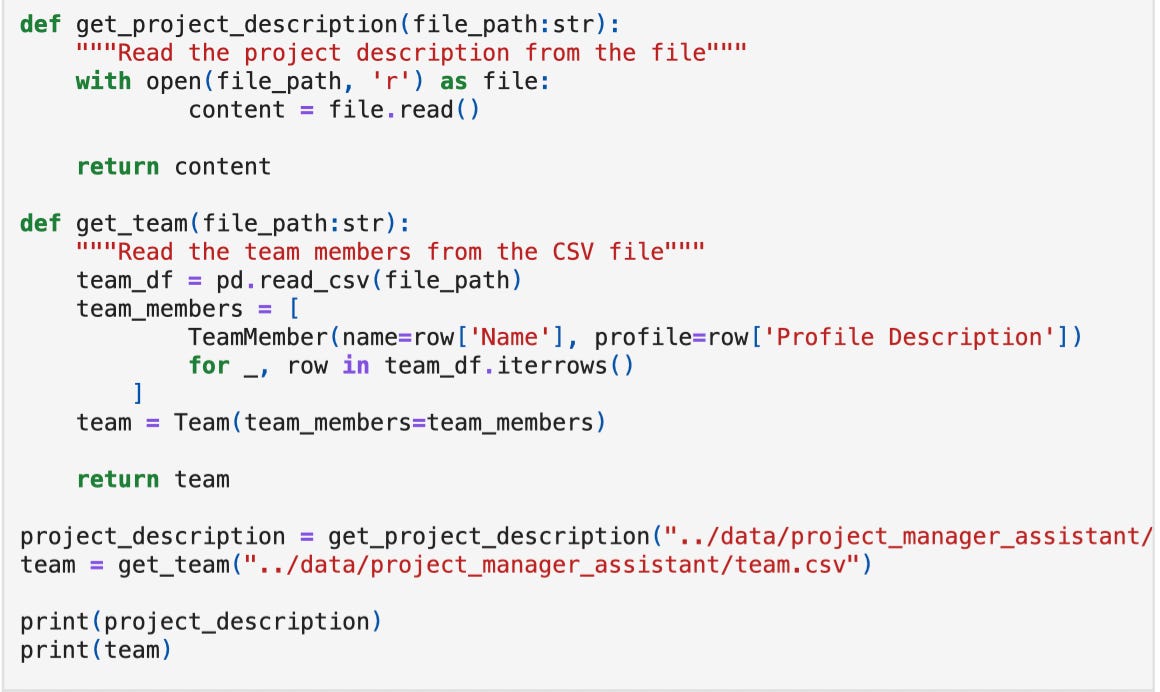
If you already have a project idea and a structured team, but don’t know where to start, this system can be helpful. For example, you can input your team data and add a project description such as: “Our business aims to deliver a chatbot application for our customers to ensure 24/7 support and advice on product choices.”
In the overview of the system, you'll learn how to properly introduce these details.
Just like this, you don’t need to spend days sorting out tasks and scheduling timelines. This agent will make it for you, and also help with risk assessment across team members.
Best for:
Small teams (up to 15) to replace days of planning and prevent early mistakes
Mid-size teams (15–50) to handle cross-team dependencies
You don’t need it if
Your team is 1–3 people
And your work is ad-hoc
Why it’s clutch
This AI system aims to translate a project description into a structured plan. It:
Breaks the project into actionable tasks
Maps dependencies between tasks
Schedules tasks while respecting dependencies
Assigns work to team members based on their skills and availability
Assesses risks for tasks and the overall project
Generates insights to optimize the plan in multiple iterations.
This thing doesn’t just track projects, it actually makes decisions! The fact that it can smartly assign team members caught me off guard.
How It Works
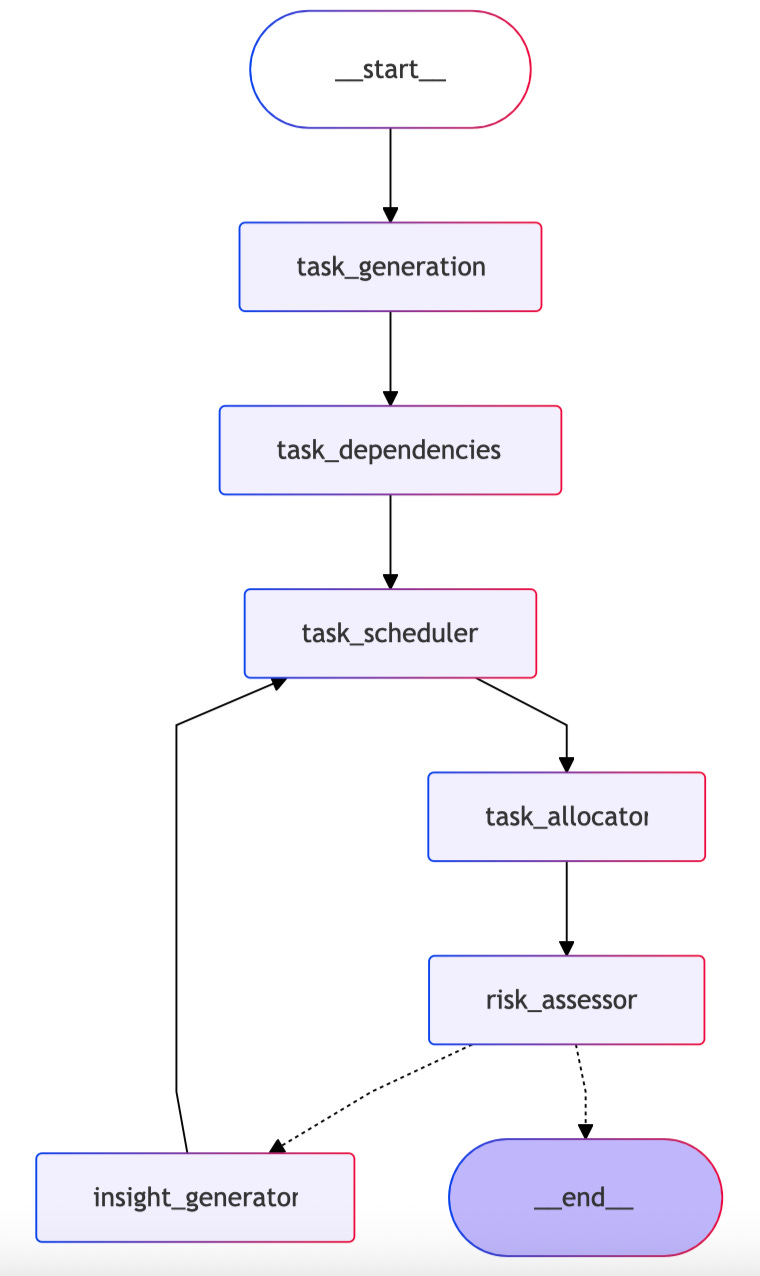
The system is all about LangGraph managing the agent workflow as a series of nodes.
AI (GPT-4o-mini is used in this case, but can be used with any other LLMs) interprets the project description, generates tasks, schedules, allocations, and insights.
Inputs include project description files, team profiles, and task details.
Workflow: The agent iterates through task generation → dependency mapping → scheduling → allocation → risk assessment → insight generation, optimizing each step based on feedback.
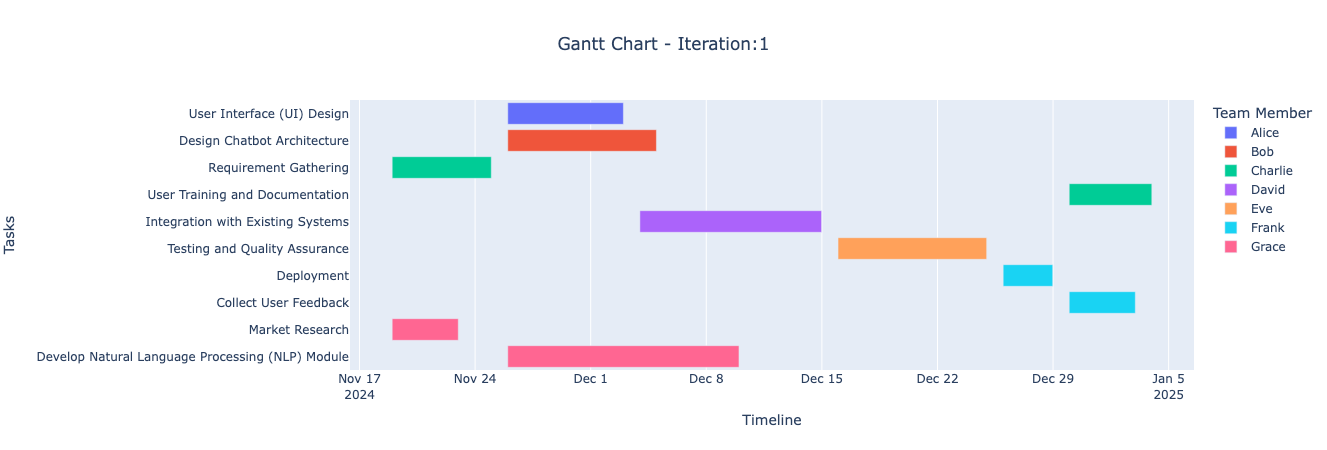
Output presents a structured project plan with Gantt charts, risk scores, and recommendations, ready for the team to act on.
Impact
The author is using this system to transform messy project planning. Here’s what it delivers:
Turns a simple project description into tasks, dependencies, and timelines without manual planning
Assigns risk scores (0-10) to each task based on complexity, team capacity, and dependencies. Like this, we can catch problems from the beginning
Distributes work across the team based on their expertise and availability
Runs multiple planning cycles to reduce overall project risk and improve scheduling
Generates instant Gantt charts and project roadmaps (no one slips through your attention 👀)
All in all, this system helps speed up the start of a project.
Once it has turned all your data into a structured plan in the form of tables and task details (they appear as JSON/Pydantic files), you can do pretty much anything:
use it as a base to import into Jira or turn it into a Notion database through the API or CSV.
create a Gantt chart or roadmap
Or just show a presentation to the client at the very beginning with a prepared plan.
Agentic Project Management
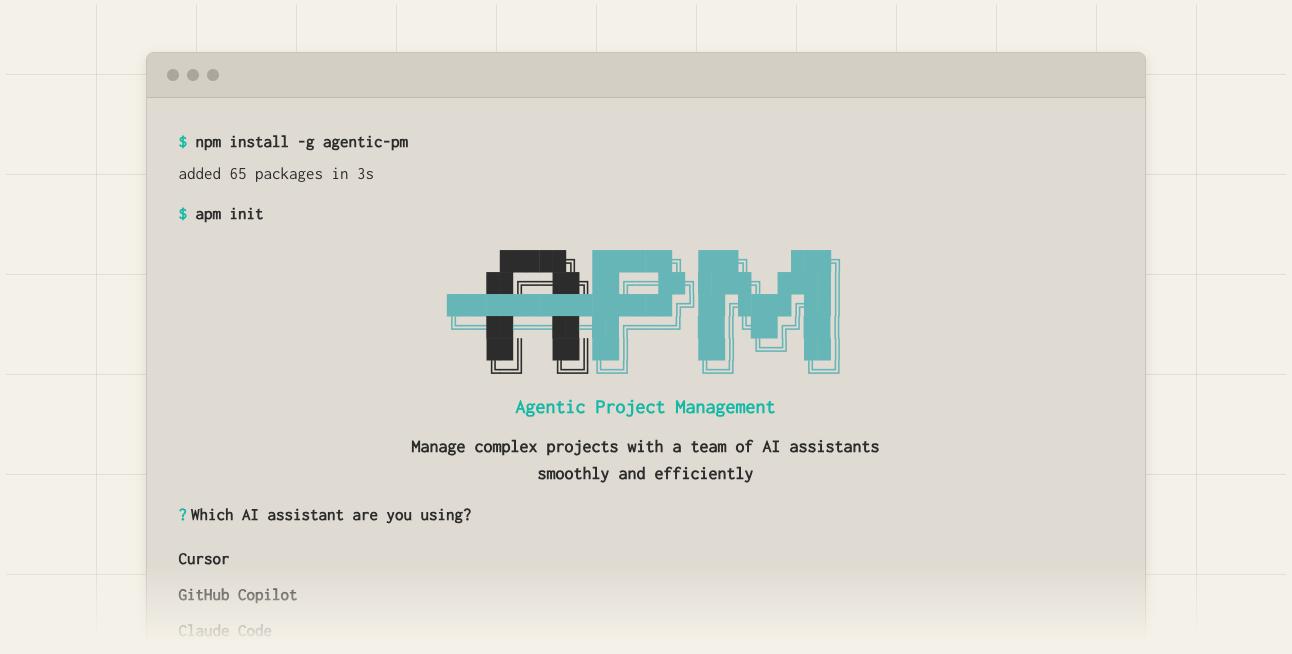
This is an AI-powered project management framework that helps you tackle multi-stage projects.
We’ve already talked about how AI IDEs help you shape and preserve your data infrastructure. This is exactly that case: you’re not starting from scratch every time, as you do with regular chat-based AI. The system remembers what mattered, why, and what choices were made.
Best for:
Small teams (1-15 people) to kick off projects faster
Medium to large teams (15–50+) to plan and simulate risks
It’s not a replacement for PM tools. The output is embedded into tools like Jira, Asana, or ClickUp, which remain the execution layer.
Why it’s clutch
Before doing anything, the assistant designs a roadmap with phases and tasks
It uses a Dynamic Memory Bank to store context and logs for each task and phase, so AI doesn’t forget what’s important
Tasks are small and actionable, so they’re easy for AI agents to handle in one go
When context limits are reached, the workflow has a clear handover procedure to transfer all relevant information to a new agent session
How It Works
Phase 1: Initiation
Install APM CLI (one-time setup):
npm install -g agentic-pm   # global install
# or local install:
npm install agentic-pm
Initialize your project in the terminal:
apm initPhase 2: Select your AI assistant
