Hello there!
OpenAI decided to go all out and beat Google in the model race with a shirtless photo of Sam Altman.
I’m just kidding. This was just the announcement of GPT Image 1.5, built right into ChatGPT. That said, it got faster, sharper, and more accessible. But this is clearly a response to Nano Banana Pro.
So today, we’ll look at what improvements the model picked up, what it can do, and compare the two models so you can see which one fits you better.
Let’s jump in!
Key Strengths and Weaknesses
The update is already rolling out to all ChatGPT users.
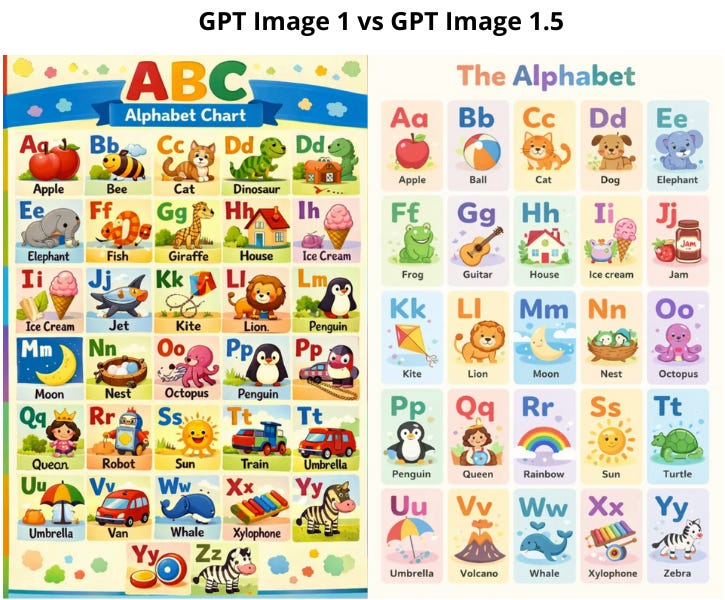
To make it easier to see what changed, I threw together a comparison table with the previous version:
Text Rendering Improvements
Companies are working hard to get models to handle text right. Photo models are doing pretty well at this now (video models, as we saw with Kling O1, are still struggling tho).
Here is what has changed:
The model can now render structural elements from Markdown code. This means if you provide a structured text with headers (#), bold text (**), and bullet points, the model can “lay out” this information naturally onto objects like newspapers or posters.
One of the biggest upgrades is accurate grid and table rendering. It keeps columns and rows aligned, so you can create infographics and data visualizations within an image.
Also, the model gets better at where text belongs. Like, it integrates it into the texture and lighting of the surface, so it places text on a crumpled piece of paper properly.
What I like is that you can now run image generations in parallel now, without waiting for the previous ones to finish.
Precise Edits Without Wrecking the Image
The key feature of this update is strict instruction-following during edits.
The model changes only what you ask for (are we really just now arriving at this “revolutionary” idea, lol 😑). It keeps important details intact: lighting, composition, proportions, and facial features. And this works even through multiple consecutive edits.
GPT Image 1.5 now handles:
adding and removing objects
combining multiple images
mixing styles
transforming specific elements without touching the background
Google boasted about the same thing when it released Nano Banana. In practice, this means more realistic examples: trying on clothes and hairstyles, plus conceptual changes without the image looking rebuilt from scratch.
ChatGPT Added a Separate Images Section to the Sidebar
It has ready-made styles, templates, and popular scenarios you launch without writing complex prompts. ChatGPT turns into a compact creative studio.
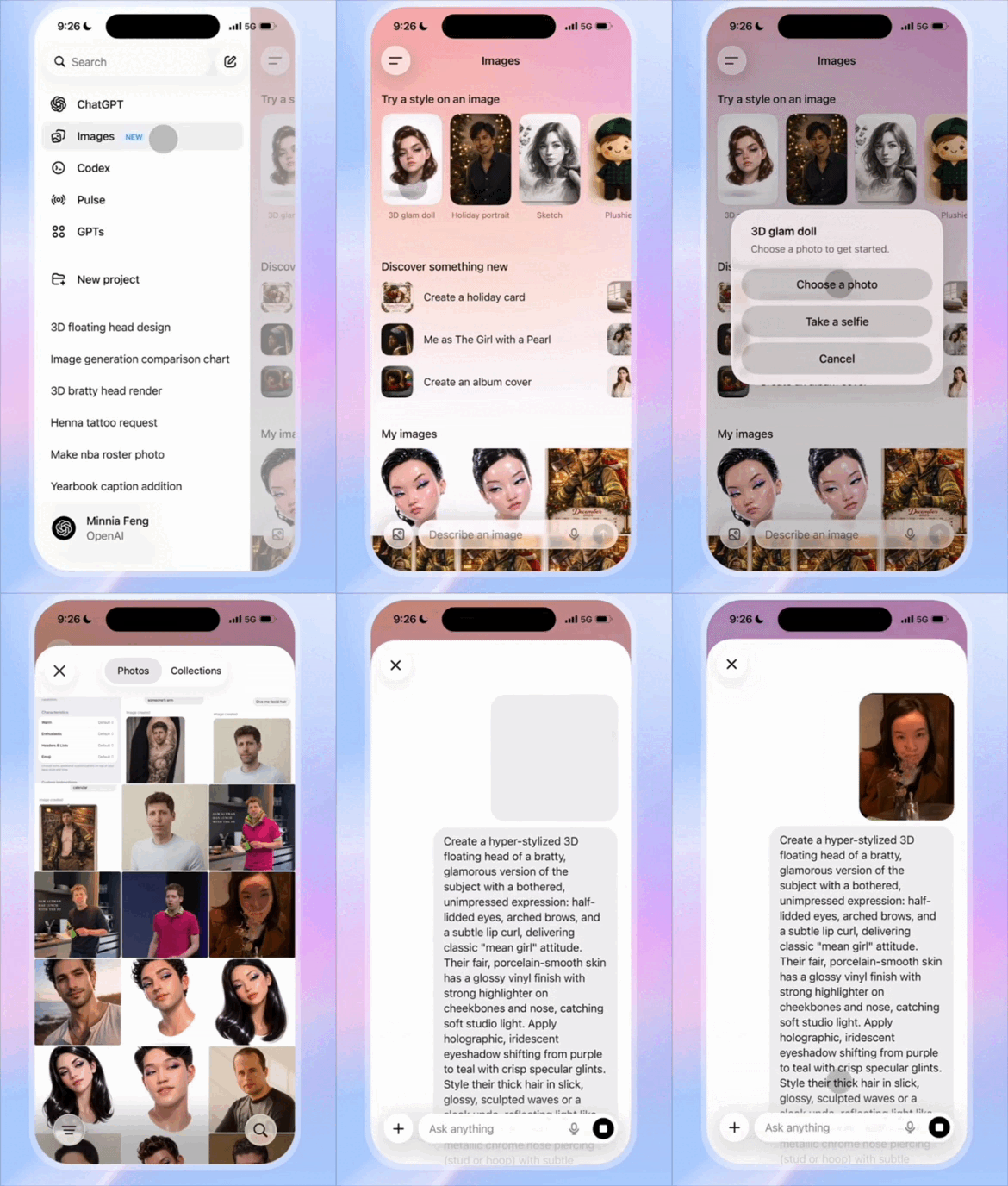
In a nutshell, the update generally improved its ability to preserve logos and brand colors across different scenes and angles. This makes it a solid tool for e-commerce catalog generation, for creating illustrations, social media visuals, marketing materials, concept art, covers, banners, and quick photo edits without the need for complex graphic editors.
Ravi Mehta, OpenAI’s head of consumer apps, also hinted at deeper visual integration in ChatGPT. In the future, search answers might come with visual charts and images with source citations right away. The goal, according to Mehta, is to “shrink the distance between an idea in your head and the ability to make it real”.
Limitations
The devs admit the model still makes scientific mistakes and sometimes messes up when generating lots of faces in a crowd.
Despite improvements, in some cases (skin, backgrounds, small background details), the images still look “too perfect” and slightly plastic.
Here is roughly what this means:
Prompt:
a cross-stitch of a Christmas elf - anime style. The elf is working at a guitar store, and guitars hang on the wall. The cross stitch has a christmas border with mistletoe and christmas decorations.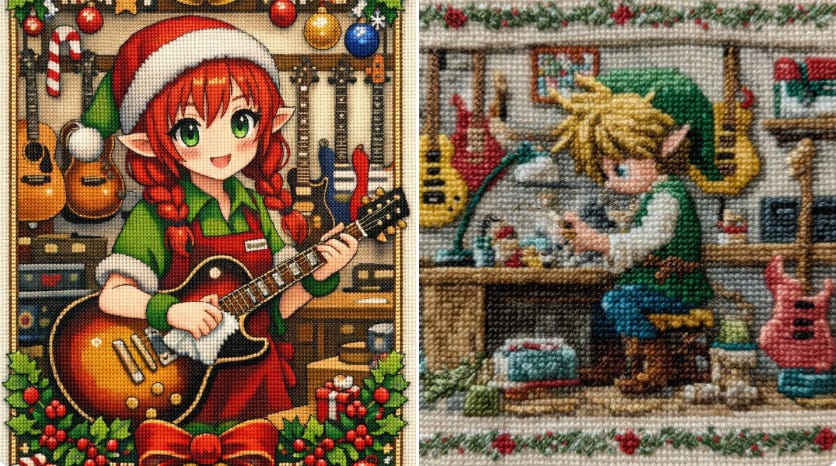
What You Can Create with GPT Image 1.5
Anyway, it's still a next-level upgrade. Grab these ideas to try:
Product Photo Shoots
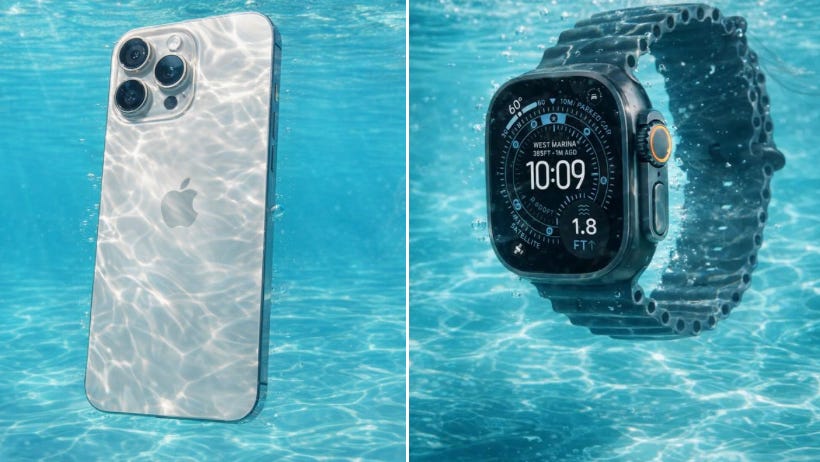
Prompt:
[Reference Image] fully submerged in crystal-clear, turquoise water, captured in ultra-high-resolution underwater photography. Sunlight penetrates the surface above, creating intricate caustic light patterns that ripple and dance across the subject and surrounding water. The scene conveys pristine clarity with zero particulate matter, emphasizing a sense of suspended weightlessness and serene motion. Fine details are frozen using high-speed capture, with subtle bubbles and flowing fabric or hair enhancing the feeling of aquatic elegance. The overall aesthetic is clean, refreshing, and ethereal, with soft natural color grading, high dynamic range, and cinematic realism.Studio Close-Ups
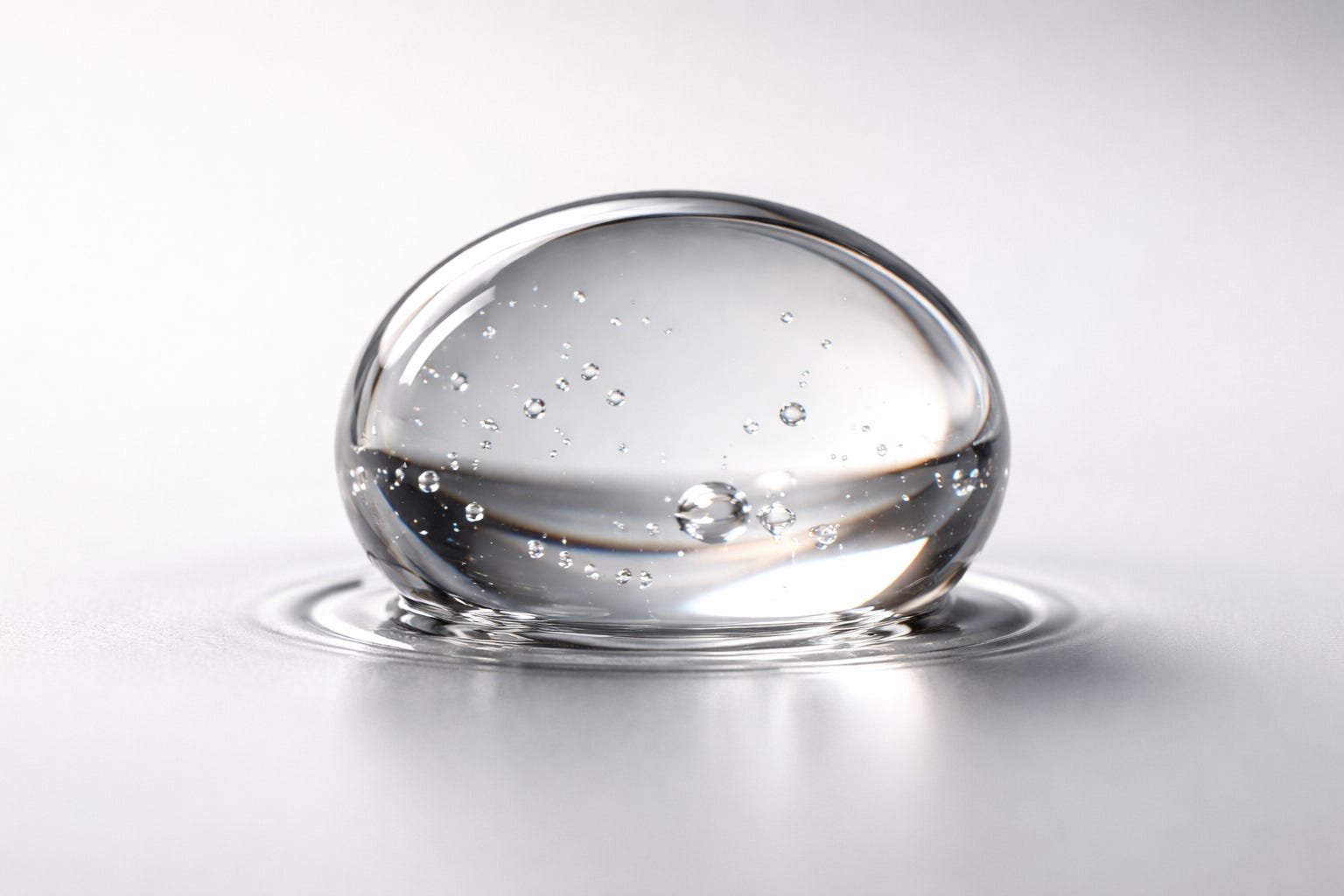
Prompt:
Ultra-macro close-up of a single drop of skincare serum touching a smooth surface. Extreme optical clarity shows internal structure and subtle refraction. Surface tension and frozen micro-ripple preserved. Studio lighting: soft diffused key light + gentle rim light. Minimal, out-of-focus background, clean gradient. Photorealistic, cinematic, scientifically precise. Preserve proportions, refraction, and natural color. No stylization, no artifacts, no extra elements.Infographics
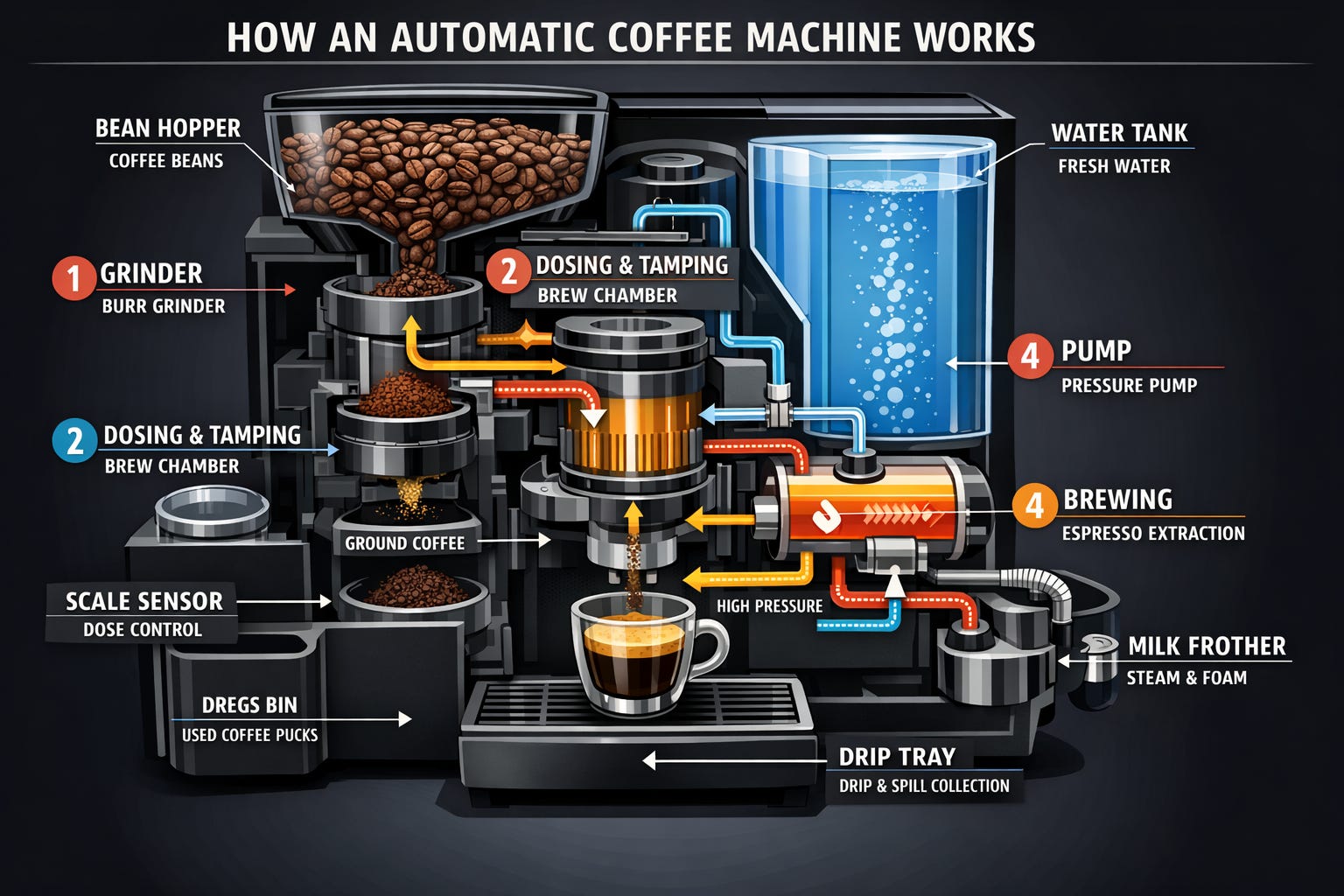
Prompt:
Create a detailed Infographic of the functioning and flow of an automatic coffee machine like a Jura. From bean basket, to grinding, to scale, water tank, boiler, etc. I’d like to understand technically and visually the flow.World knowledge and context
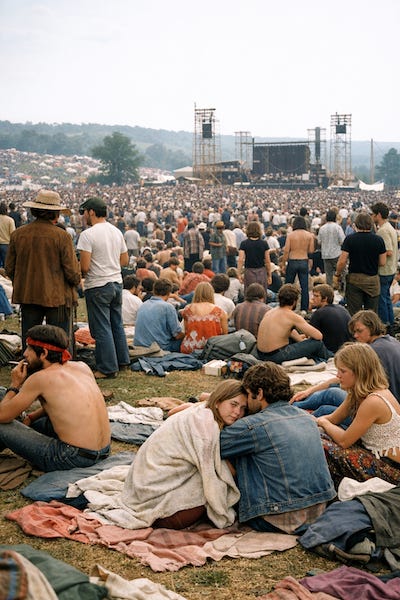
Prompt:
Create a realistic outdoor crowd scene in Bethel, New York on August 16, 1969. Photorealistic, period-accurate clothing, staging, and environment.Short Guide to Effective Prompting
Use a clear prompt structure
According to devs, a reliable structure is:
Scene / background → subject → key details → constraints → intended useFor complex tasks, use short labeled sections or line breaks instead of a single long paragraph.
Define:
What must appear in the image
What must stay exactly the same
What is allowed to change
how the image will be used (ad, UI mockup, infographic, print)
Avoid:
ultra-detailed
masterpiece
Prefer:
materials, textures, lighting
scale and perspective
photography or rendering terms when aiming for realism
Always specify:
framing (close-up, wide, top-down)
viewpoint (eye-level, low-angle)
lighting and mood (soft diffuse, dusk, overcast)
layout and placement when relevant
The most important rule:
“Change only X. Keep everything else the same.”
Repeat what must be preserved on every edit:
identity or face
geometry and proportions
camera angle and framing
background
existing text or layout
Nano Banana Pro vs GPT Image 1.5
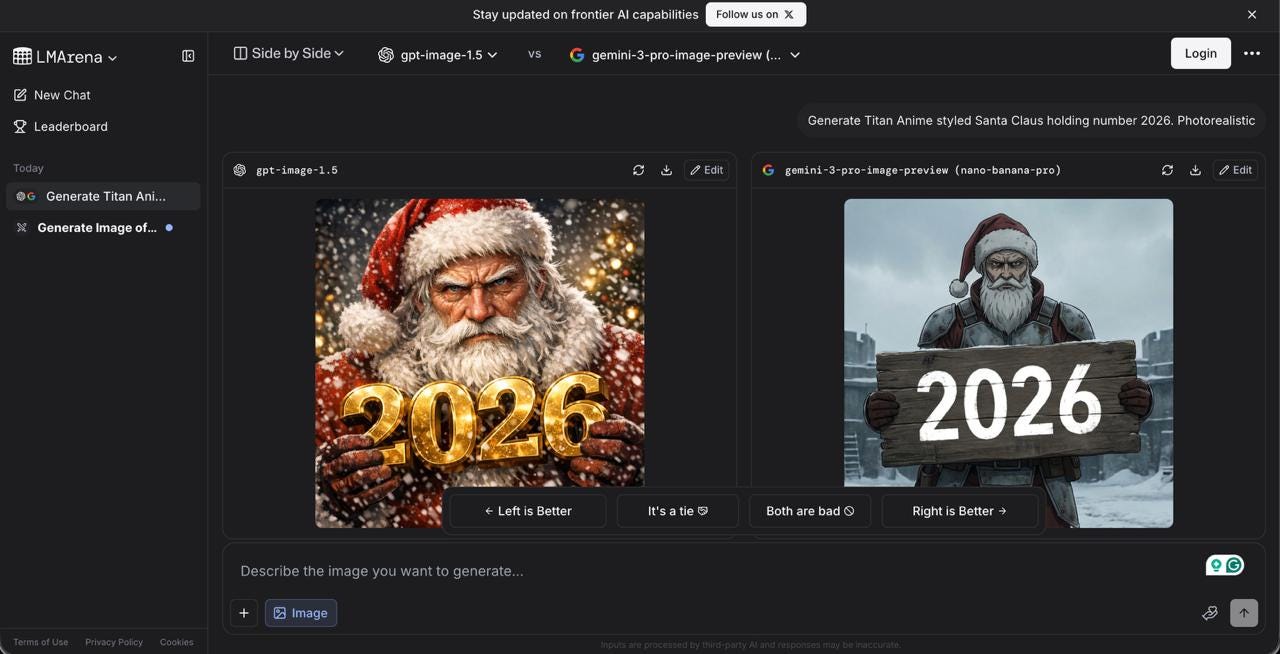
In the LMArena rankings, where models get compared blind, GPT Image 1.5 took first place, edging out Nano Banana Pro by a bit.
But if we’re talking about real-world use instead of detached benchmarks, we’ll show you what criteria to use when comparing models and what details to watch for. You can apply this approach to any model later, so you immediately know how strong each one is.
Let’s see who’s doing better.