

Hey!
Most people using Claude are prompting it in a chat window. A smaller group is calling the API directly. But there’s a third tier that barely anyone has explored yet: Claude Managed Agents — Anthropic’s hosted runtime for building stateful, tool-using agents that actually persist across turns.
Not sessions that reset when you close the tab. Not pipelines that crash when a step fails. Real persistent agents with environments, file mounts, conversation memory, and production-grade controls baked in.
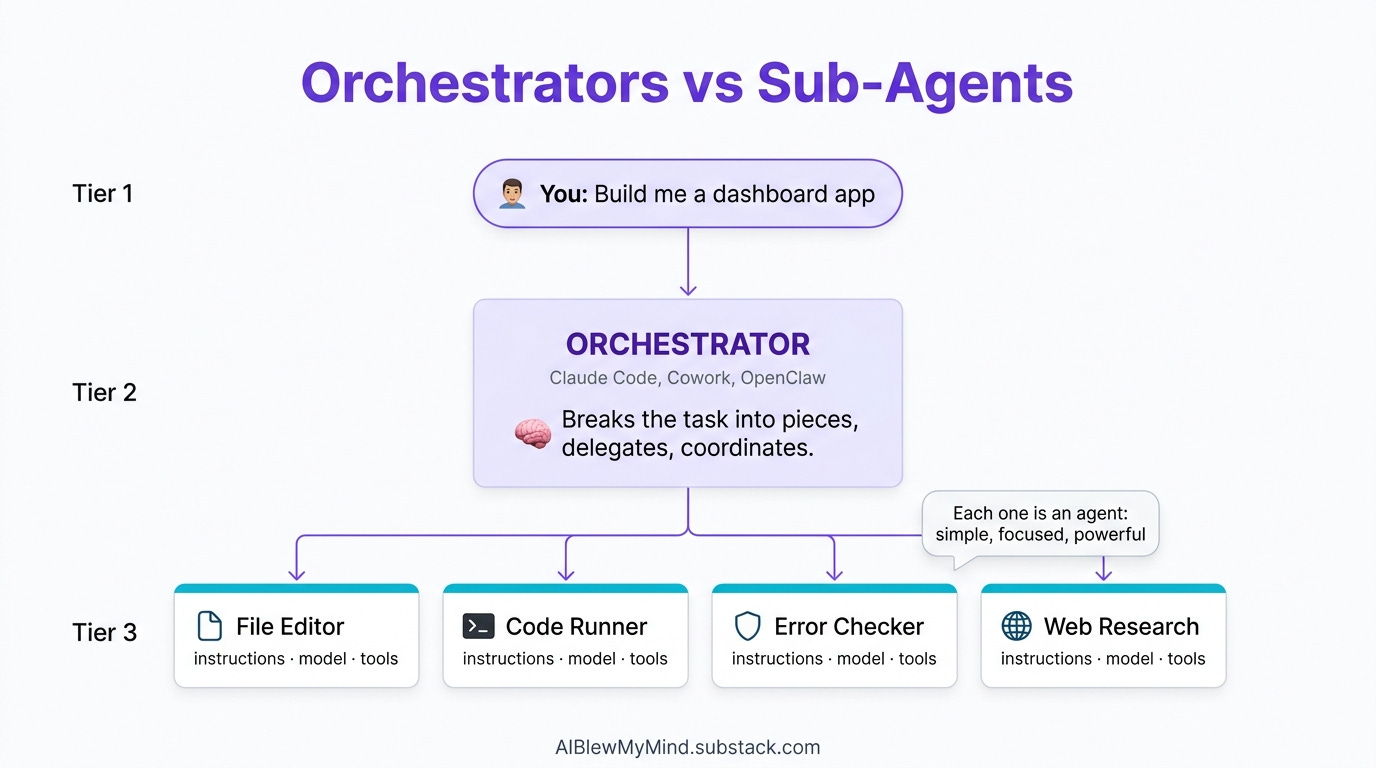
This post covers what they are, how they work inside the Console, and — crucially — how they compare to the setups you’re probably already using: Claude Cowork, cron jobs on a VPS, and self-hosted OpenClaw/Moltbot.
New to Claude agents entirely? Start with how solopreneurs are using full AI agents and Claude Code as your AI teammate before continuing here.
What Are Claude Managed Agents?
Straight from Anthropic’s cookbook repo:
“Claude Managed Agents is Anthropic’s hosted runtime for stateful, tool-using agents. You define an agent and a sandboxed environment once, then run them in sessions that persist files, tool state, and conversation across turns.”
Three things in that sentence matter.
Stateful. The agent remembers where it left off. It doesn’t start from zero each API call.
Sandboxed environment. The agent runs in Anthropic’s isolated compute layer — your files, tools, and code execute there consistently, not on your machine.
Sessions. Each run is a tracked session that can be paused, resumed, handed to a human, or branched. This is what makes production deployments possible.
The Console: What It Actually Looks Like
Before we talk about code, here’s what you’re working with inside Anthropic’s Console.
The Agents Dashboard
The Agents Dashboard — a list of all your deployed agent definitions. Each shows model, status, session count, and last activity. You manage definitions here; sessions run separately.
You define an agent once and it lives here permanently. The definition includes: name, model, system prompt, and which tools the agent can call. Sessions are spun up from this definition on demand — one definition, unlimited concurrent sessions.
Creating a New Agent
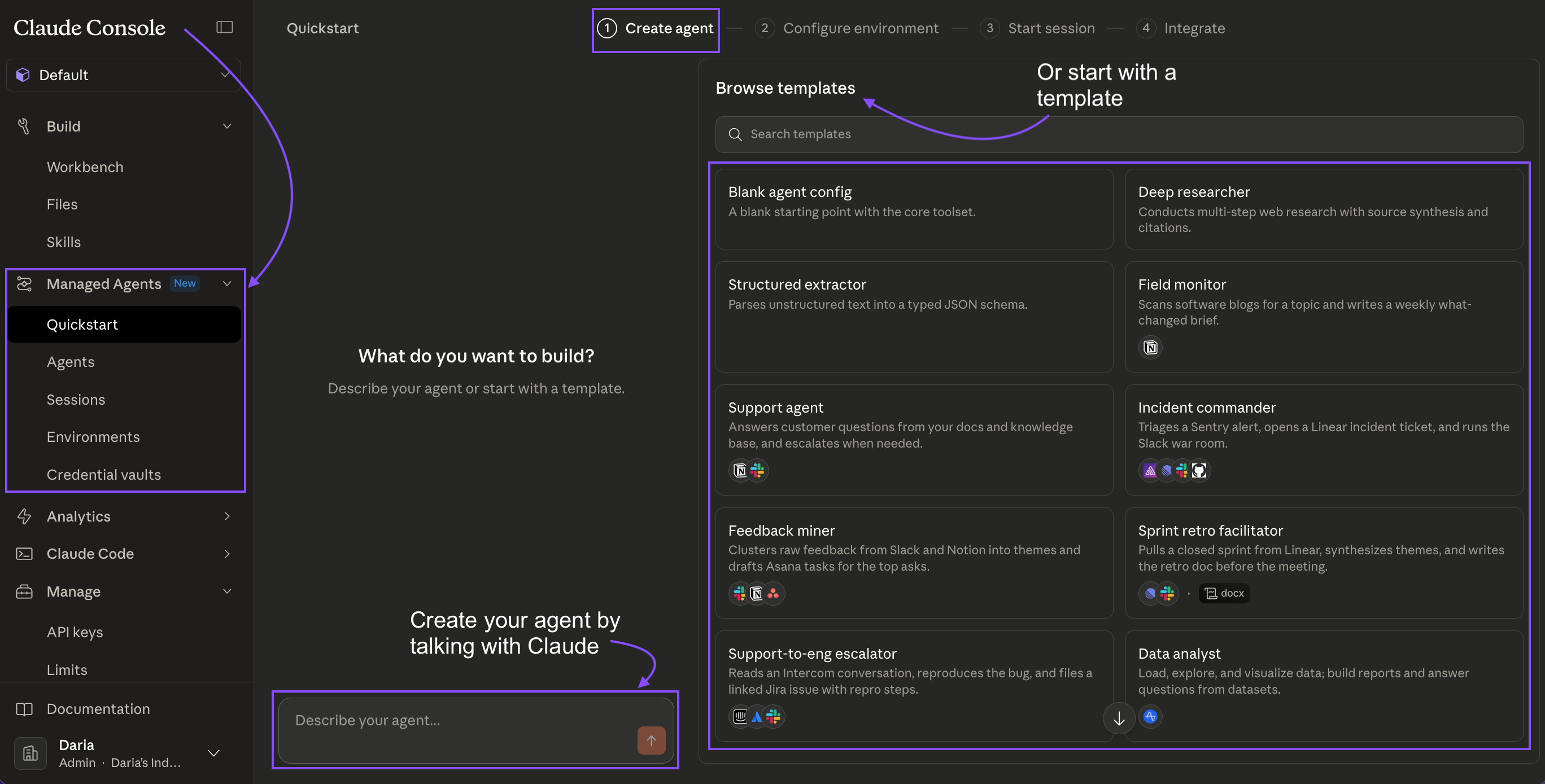
The Create Agent form. The system prompt is where you give the agent its domain expertise — this persists across every session that uses this definition. Tools are toggled per agent: code_execution, file_read, file_write, web_search.
The form is straightforward. The important fields:
System prompt — this is your agent’s expertise. It doesn’t reset between sessions.
Tools — which capabilities it can use.
code_executionis the main one for data work;file_read/file_writefor artifact generation.Model — Haiku for speed and cost, Sonnet for most work, Opus for complex reasoning chains.
The Session Stream View
The Session Stream. Left: live event log — every tool call, result, and text the agent produces. Right: Artifacts panel — files the agent creates during the session, downloadable immediately. Bottom: file mounts and token usage.
The event stream is important to understand. It shows you exactly what the agent is doing at every step:
session_start— session initialized, files mountedtext— the agent’s reasoning (visible in real time)tool_use— the agent calling a tool (e.g.,code_execution)tool_result— what the tool returnedrequires_action— the agent is paused, waiting for your input
This isn’t a black box. You can watch it think, catch mistakes mid-run, and build confidence in what it’s doing before you trust it with production data.
The Human-in-the-Loop Gate
The requires_action state — the agent has done its work and is waiting for a human decision. The summary shows exactly what it found and what it wants to do next. You approve, reject, or send custom instructions to resume.
This is the feature most people don’t realize exists. When an agent reaches a step you’ve defined as a gate — merging a PR, sending an email, making a purchase — it pauses and surfaces a decision UI. The agent has done all the investigation. You make the final call.
The pattern: agent does the analysis, human makes the irreversible decision.
The Architecture: Three Things You Configure
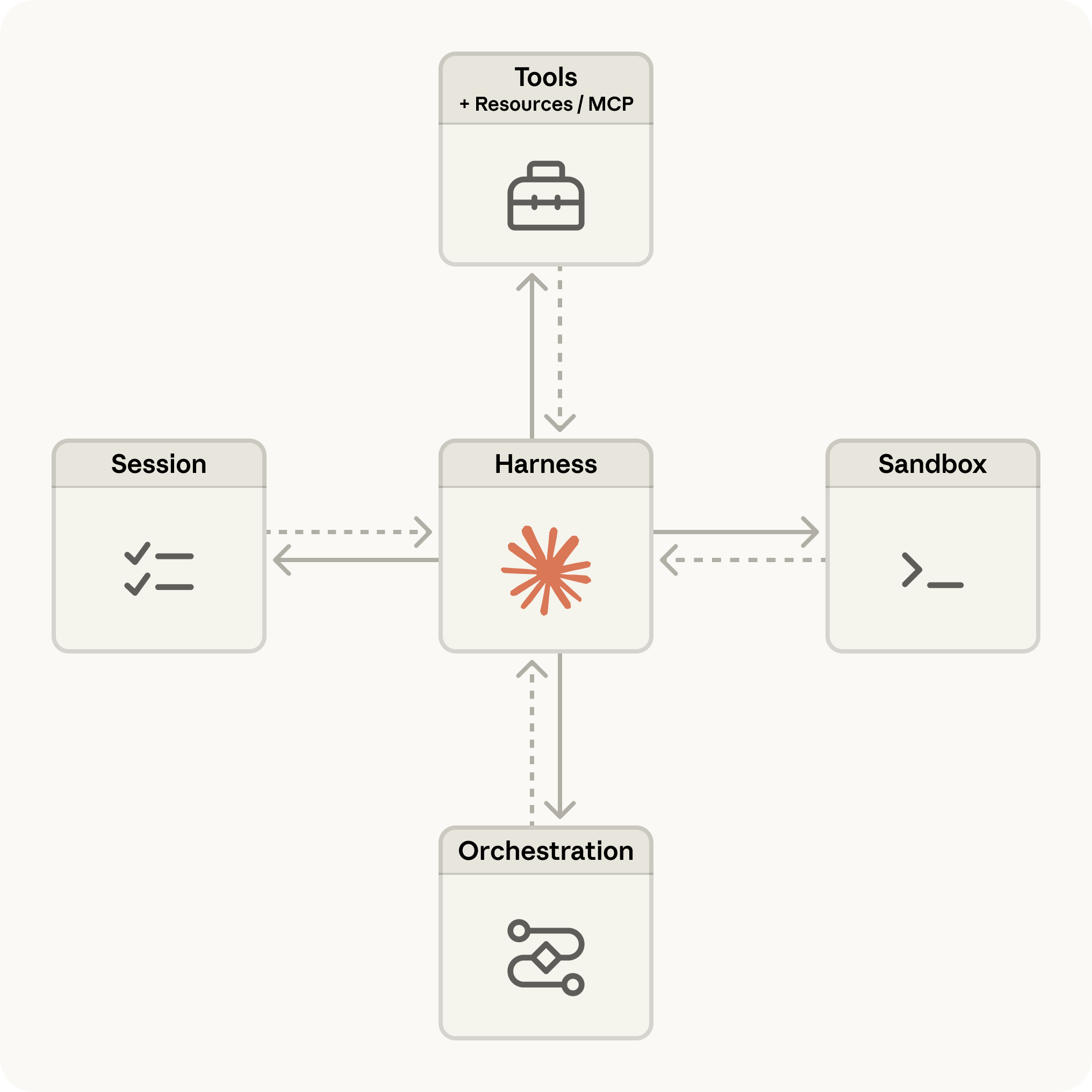
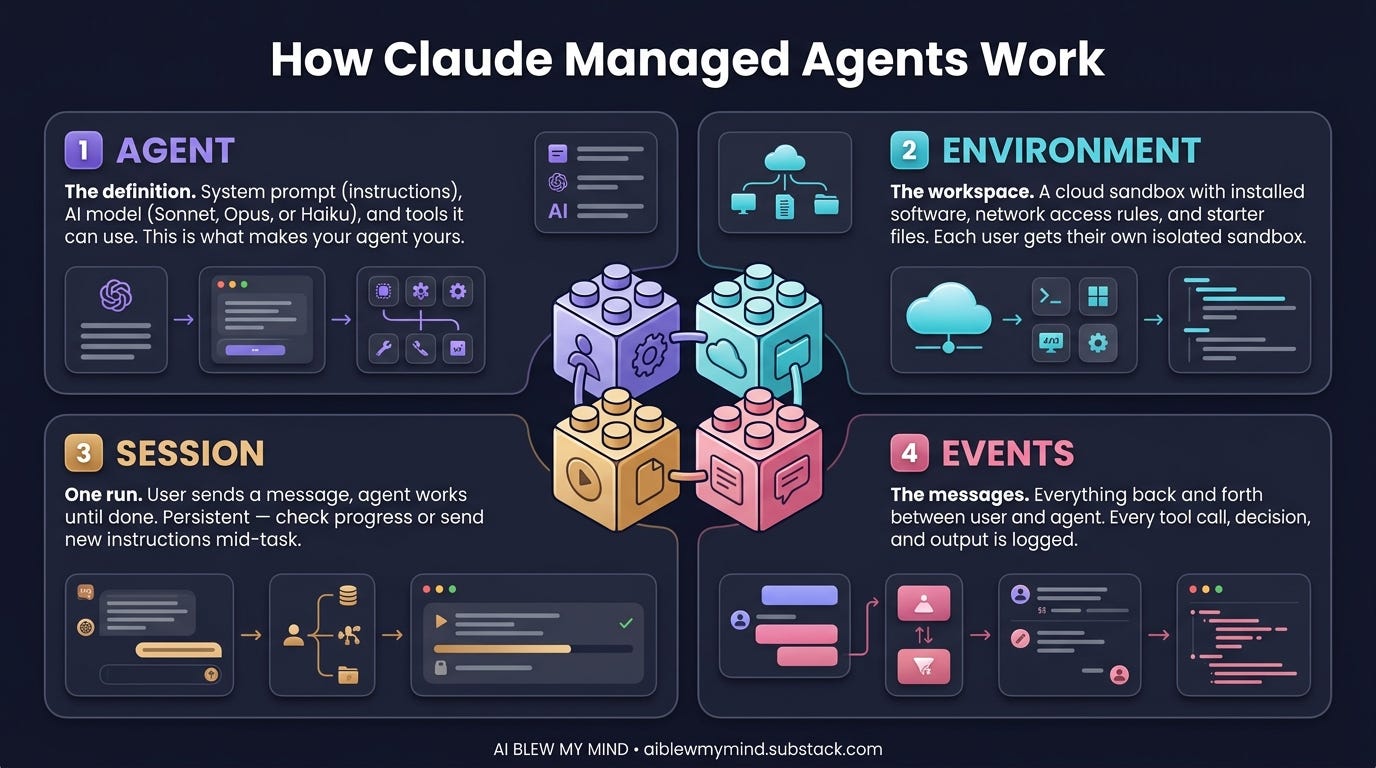
When you set up a Claude Managed Agent, there are three layers:
The Agent definition — model + system prompt + tools + Skills. Configure once.
The Environment — Anthropic’s sandboxed compute layer. Files mount here. Code executes here. State persists here across turns in a session.
Sessions — each conversation thread. Multiple sessions can run from the same agent definition simultaneously. Each keeps its own file state, tool outputs, and conversation history.
The core API:
import anthropic
client = anthropic.Anthropic()

# Define the agent once
agent = client.beta.managed_agents.agents.create(
    name="data-analyst",
    model="claude-sonnet-4-6",
    system_prompt="You are a senior data analyst...",
    tools=[{"type": "code_execution"}, {"type": "file_write"}],
)

# Spin a session per user/task
session = client.beta.managed_agents.sessions.create(
    agent_id=agent.id,
    files=[{"path": "sales_q1.csv", "content": csv_bytes}]
)

# Stream the run
with client.beta.managed_agents.sessions.stream(
    session_id=session.id,
    input="Analyze this CSV and generate a revenue report."
) as stream:
    for event in stream:
        if event.type == "requires_action":
            handle_human_approval(event)

# Pull artifacts when done
artifacts = client.beta.managed_agents.sessions.artifacts.list(session.id)
The Real Use Cases
Anthropic ships five applied notebooks in claude-cookbooks/managed_agents. Here’s what each one does:
1. Data Analyst → HTML Report. Mount a CSV. The agent analyzes it with pandas and plotly, generates charts, writes a full narrative HTML report. No dashboard, no data engineer — one session, one artifact.
2. Slack Data Bot. The same data analyst agent, wrapped in a Slack integration. Mention it with a CSV attached — it replies in-thread with the report. The key is session continuity. Each Slack thread maps to one session. Follow-up questions in the thread continue the same session; the CSV is already loaded, the prior analysis is in memory. No re-uploading, no re-explaining.
We covered how a similar pattern powers newsletter automation systems in our n8n playbook post. Managed Agents brings that same continuity natively, without the workflow builder overhead.
3. SRE Incident Responder. A pager alert fires → session opens → agent investigates (reads logs, diffs code, identifies root cause) → opens a PR with a fix → pauses for human approval before merging. The human-in-the-loop gate is native here. No custom code required — the agent calls requires_action, the Console surfaces the approval UI, and you resume the session with your decision.
4. Expense Approval Workflow (paid). Employees submit expenses in natural language. Agent reviews policy, either auto-approves (within threshold) or escalates to a manager. Custom decide() and escalate() tools give the agent structured actions; the requires_action state handles the escalation pause.
5. Issue → PR Pipeline (paid). Takes a GitHub issue, fixes it, opens a PR, monitors CI, addresses a review comment, and merges — all in one session. The critical feature: when CI fails mid-chain, the agent reads the failure (stored in session file state) and continues from that checkpoint. It doesn’t restart.
