

Hello folks!
In our articles, we shared dozens of practical tips (Read.md files and artifacts, remember?) on how to use Claude Code directly in the terminal to handle routine tasks without writing code.
Since Claude Code was quite technical, startups saw an opportunity and were trying to wrap it in a friendly UI for regular users.
But after collecting feedback, ideas, and complaints, Anthropic finally did it themselves.
They launched Cowork. And it can become your right hand.
Right now, Cowork is available to Claude Max (starting at $100/month) and Pro ($20/month) users on macOS. Within days, it went from Max-exclusive to far more accessible (and who knows where it’s going).
So let’s break down:
What Cowork actually is
How it works under the hood
What makes it different from regular Claude
Who it’s useful for and how creators use it (from simple to specific cases)
Jump in!
A quick example: Lenny Rachitsky’s Podcast Analysis
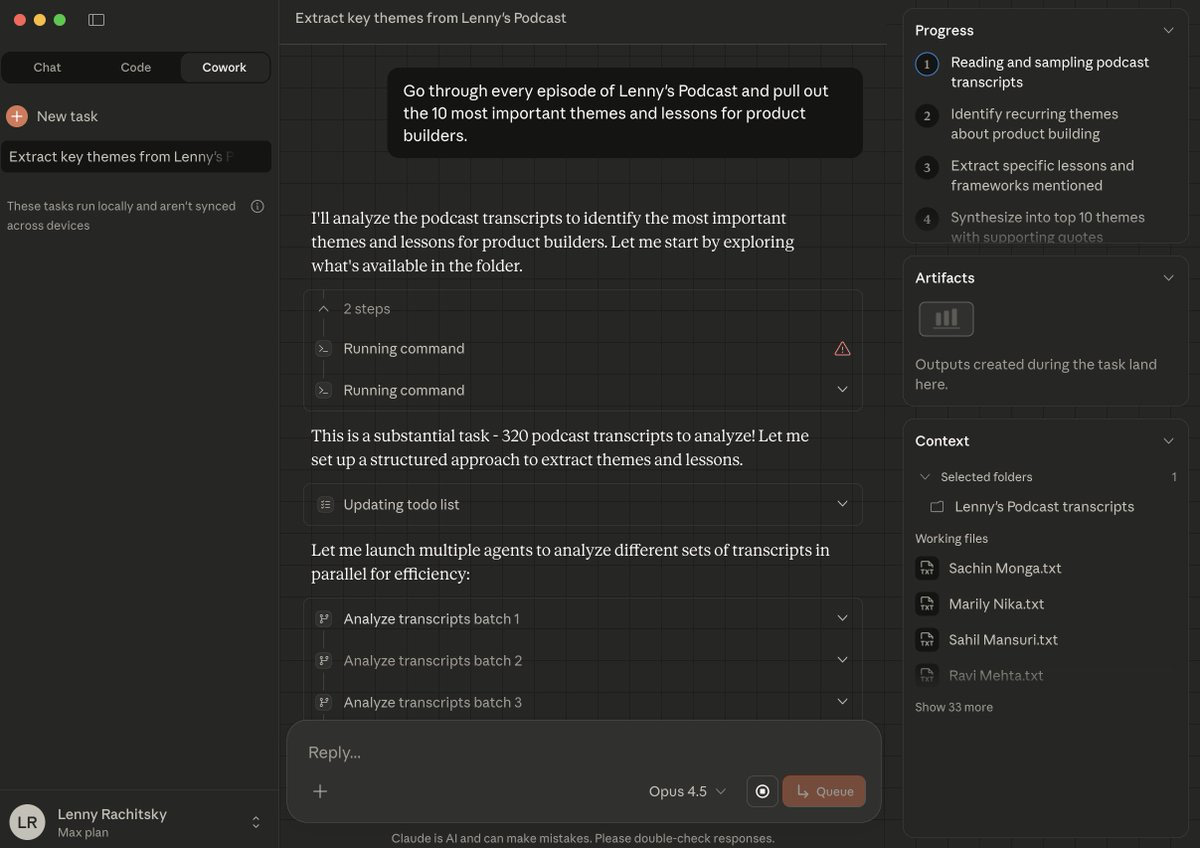
Lenny Rachitsky, podcast host, used Claude to analyze transcripts from his 320 podcast episodes, extracting the 10 most important themes and 10 counterintuitive truths for product builders in just 15 minutes!
If you’re a creator and founder, this is actually super useful. It helps:
to see what you’ve been talking about year after year by analyzing interviews, sales calls, blog posts, and customer feedback
to spot recurring pains and insights
to understand what people value you for and enhance your topics
and even turn everything you’ve already said into a book or a course, much easier
What he has done:
gave it access to a folder with 320 transcripts.
asked it to go through every Lenny’s Podcast episode and pull out the 10 most important themes and lessons for product builders.
Then, the 10 most counterintuitive truths.
The prompt he used:
Go through every Lenny’s Podcast episode and pull out the 10 most important themes and lessons for product builders. Then give me the 10 most counterintuitive truths.And here are the results.
Key Themes:
Get users to value fast (Slack’s “2,000 messages” moment)
Narratives align orgs better than docs
April Dunford’s framework: start with competitive alternatives
Talk to customers weekly, not quarterly
Focus on opportunity cost over ROI
Evals as core PM skill, CEOs becoming ICs again
Give teams problems, not features
2-person/6-week constraints work
And Counterintuitive Truths:
Fear Gives Bad Advice
Adding Friction Can Increase Conversion
Fewer Features = More Value
Adding People Makes You Slower
What Customers Say They Want Is Meaningless
Goals ≠ Strategy
Don’t A/B Test Big Bets
Your Gut IS Data
By the Time You Think About Quitting, It’s Too Late
Pretty deep topics, right?😄
Btw, he also shared his transcripts if you’d like to try it yourself: click
There are some other practical prompts you can try. Analyze your internal files much faster:
I have transcripts from [Guest Name]’s recent podcast appearances saved in [folder]. Go through them and pull out:

- Core arguments they keep repeating

- Topics they get most animated about

- Any positions that seem to contradict each other

Cross-reference with my past episodes in [Obsidian folder] and flag topics I haven't covered yet. Give me a prep doc with fresh angles.
Or, you could always grab the Chrome extension and run this analysis directly online (below, we’ll discover more cases with it):
Here is the YouTube video: [paste a link]

Tasks:
- Fetch full transcripts with timestamps for each video.

- Analyze the transcripts to extract:
  1.Key topics and themes (with short explanations)
  2.Notable quotes (with speaker labels if available and timestamps)
  3.Questions & answers segments

- Consolidate the results from all videos into a single  file named cross_video_insights.xlsx
What really matters is how quickly and smoothly you obtain the information. Let’s discover how Cowork plows through it all.
Agent Mode for Easy Work
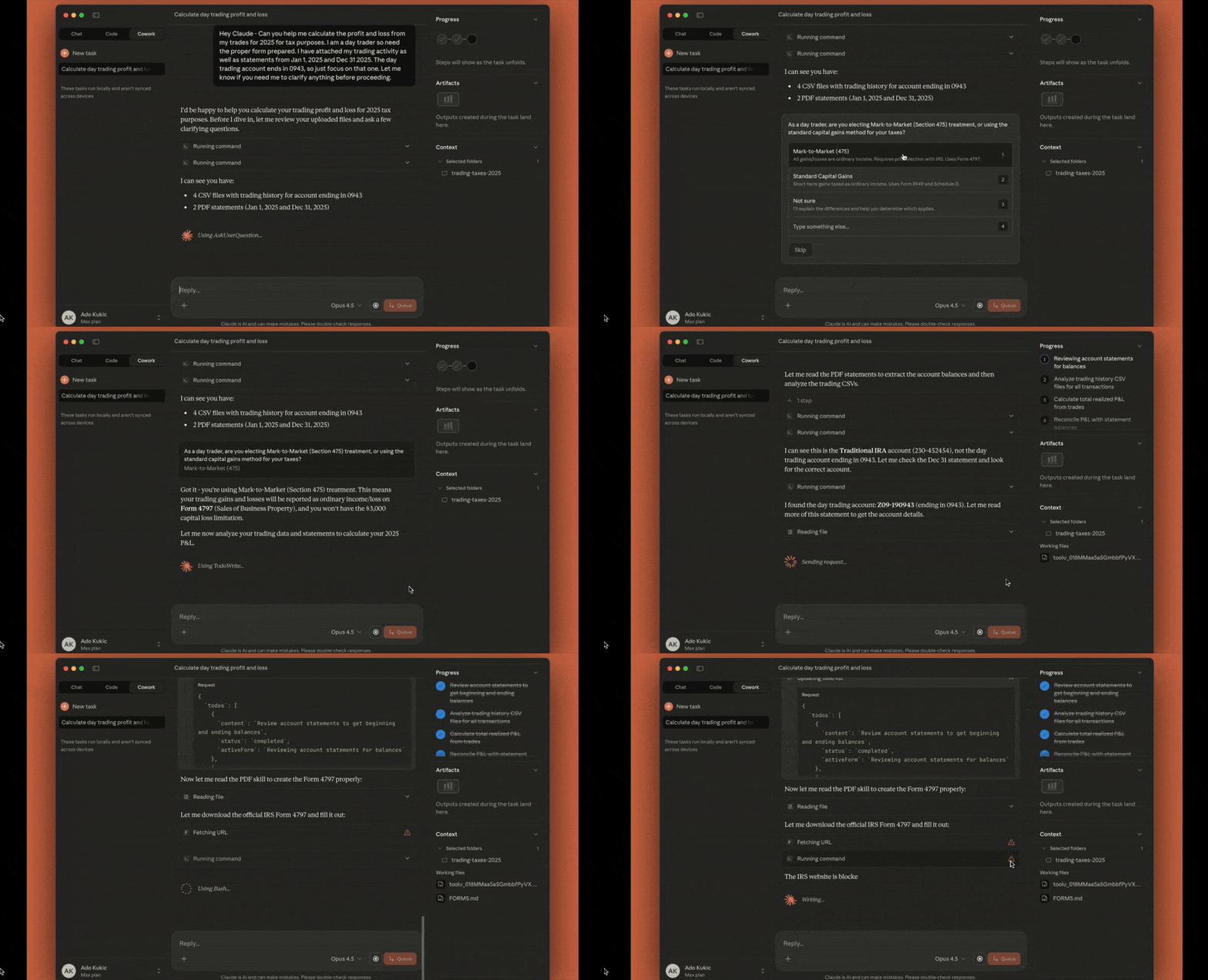
Looks like the Claude Code creators got the memo: keep the product as simple as possible and target people who don’t need any terminals, IDEs, or technical context, but who’ve already read all the guides and want to delegate their work to Claude.
Cowork is an agentic AI system inside Claude that can control your computer, built for non-coding tasks as a separate work interface. So to use it, you don’t need to learn a new coding tool.
For the first time, Cowork breaks down the technical barrier. Now, anyone can point Claude at a folder on their computer and let it work independently with those files. Not only text.
Still, Cowork lives in its own tab, and your chats are local, not synced across devices. There’s no mobile interface or Windows compatibility yet.
Even with all its perks, we were talking about in our previous articles, Claude Code needs constant control: setting up, copying files, explaining context, formatting outputs, and managing every step.
That’s why Cowork is important. It isn’t just a chatbot. It’s an agent that plans, executes, and delivers results without hand-holding.
What’s New:
1. Works with your local files
Claude can read, edit, and create files directly inside a folder you choose.
2. Actually creates a plan and works
You give it a task, it figures out the steps, and it executes them. It keeps you posted as it goes instead of waiting for your next prompt.
3. Less hand-holding
Cowork understands folder context out of the box. It breaks complex tasks into smaller ones when needed, so you don’t have to explain your file structure or workflow every time.
4. Multiple tasks at once
You can stack tasks and let Claude run them in parallel. It works asynchronously, so there’s way less back-and-forth.
Current limitations (for now)
Keep in mind that Cowork is still a preview. It can mess things up badly if the tasks are not clear, and it still doesn’t possess many features. There are some gaps and risks:
No project support yet
No memory between sessions
Files can get deleted!
Sessions can’t be shared
Keep sensitive data out: no financial docs, passwords, or personal records
It’s better to be on your guard: set up a separate workspace instead of granting full computer access, and watch for odd behavior such as unexpected file reads or random site visits.
The app has to stay open
Plus, Cowork and Claude Code are built on the same technology, so the limits are identical to Claude Code's tiers.
For example, Claude Max gives you 5x or 20x more quota than the Pro plan. And Pro has more quota than the free tier.
Cowork works the same way, but it probably chews through that quota much quicker as a single complex task can cost you what plenty of normal messages would.
It’s definitely powerful, but still very much a first version even for this price.
I can’t tell you whether maxing out your budget on this makes sense. Don’t focus too much on signing up right now. As we go through these examples below, think about the tedious parts of your workflow and whether an agent could actually handle them.
What People Are Saying
I spent the days after the release tracking feedback on Cowork. Have to say, opinions are split down the middle.
On one hand, tons of users agree that it’s a tool that consolidates all necessary features inside, and this is gonna wipe out a bunch of thin-wrapper startups.
On the other hand, lots of IT guys are rolling their eyes. They say this is just a pretty GUI for what they could already do with Claude Code and CLI (which is weird to hear because…that was literally the point!)
The one thing everyone actually agrees on is that it will burn through usage limits in five seconds, but it’s already clear that it’s another level of delegation.
Meanwhile, we’re here to discover what’s possible. Here are the tasks Cowork can tackle.
How Cowork Executes Tasks
You open Claude, pick a folder, and just like this, you create Cowork’s playground. From there, it can read and edit files.
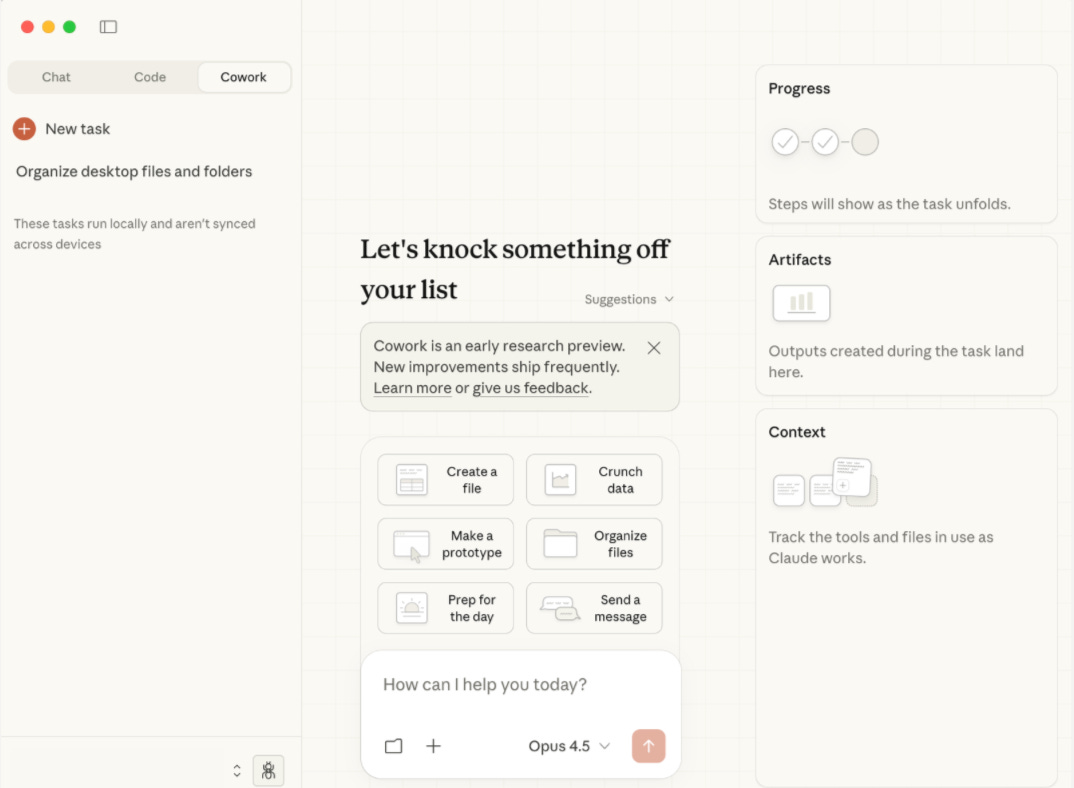
Every conversation is treated as a task. On the right side, you can see how it’s thinking and executing steps:
In Progress, you see Claude plan and execute actions step by step
In Artifacts, all the documents, spreadsheets, and files are created along the way
In Context, the info is pulled from the folders and sources
It also ships with ready-made tasks: drafting docs, crunching data, building quick prototypes, organizing files, prepping for meetings, and writing messages.
